79
Downloading a Setup From a Display
Firmware 14x20 and later allows for layout files to be downloaded from the CD dash display. It is important to note
that only layouts that have been uploaded to the dash with Allow Downloading enabled will be able to be
downloaded. It is also important to note that any layout file uploaded to a dash that has Allow Downloading enabled
can be downloaded by anyone with PC access. If file security is a concern, it's advised to not enable Allow
Downloading in order to limit access to ones files.
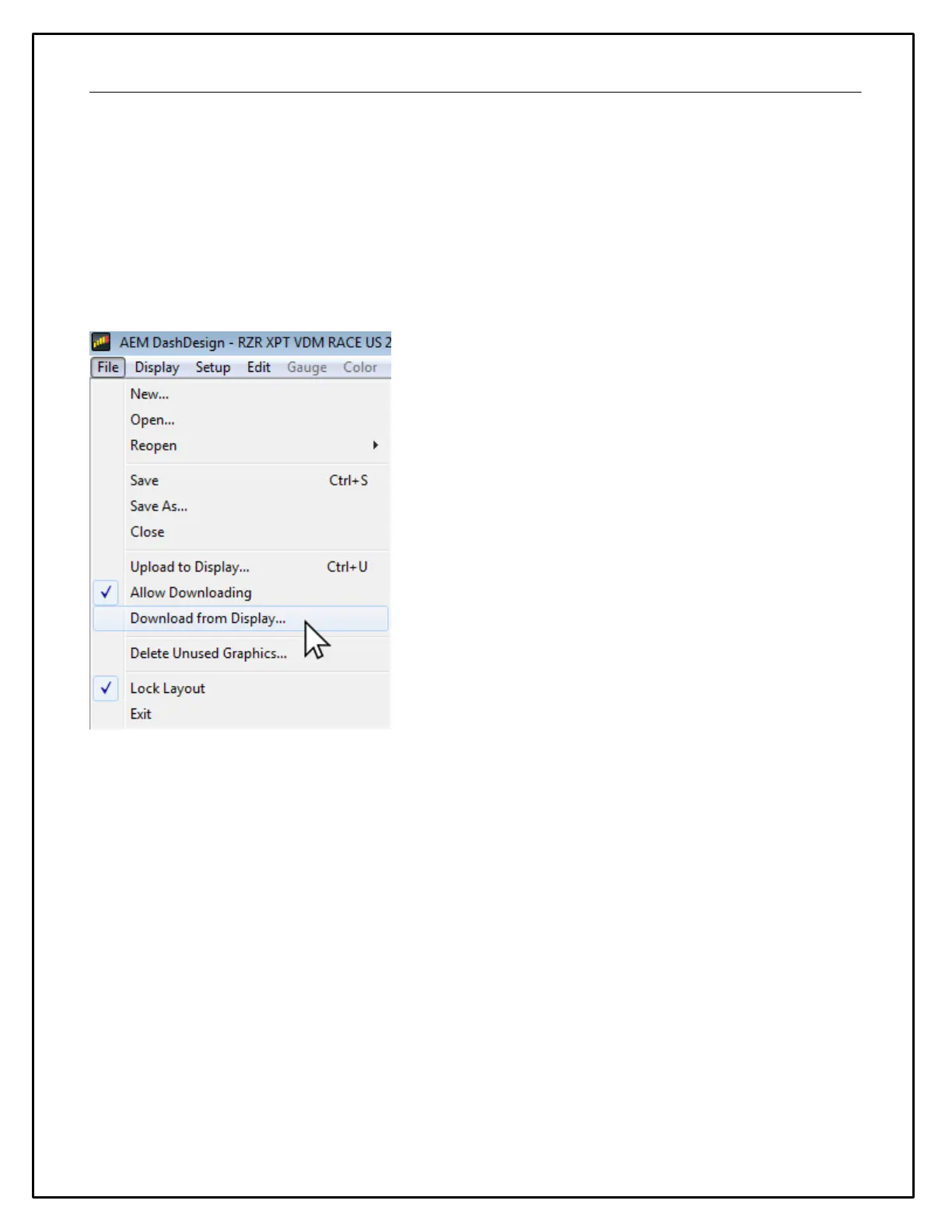
To allow a file to be downloaded from a CD dash, first enable Allow Download (go File>Allow Download) and then
upload the layout to the dash. Now this file maybe downloaded by anyone with PC access to the dash. If file
security is a concern, it’s suggested to not enable Allow Download.
To download a layout from a display, go File>Download from Display and save the file when prompted.
The Display Editor
The display editor is the core tool for editing a setup. To open the tool, go to Setup | Display...


 To Next Page