71
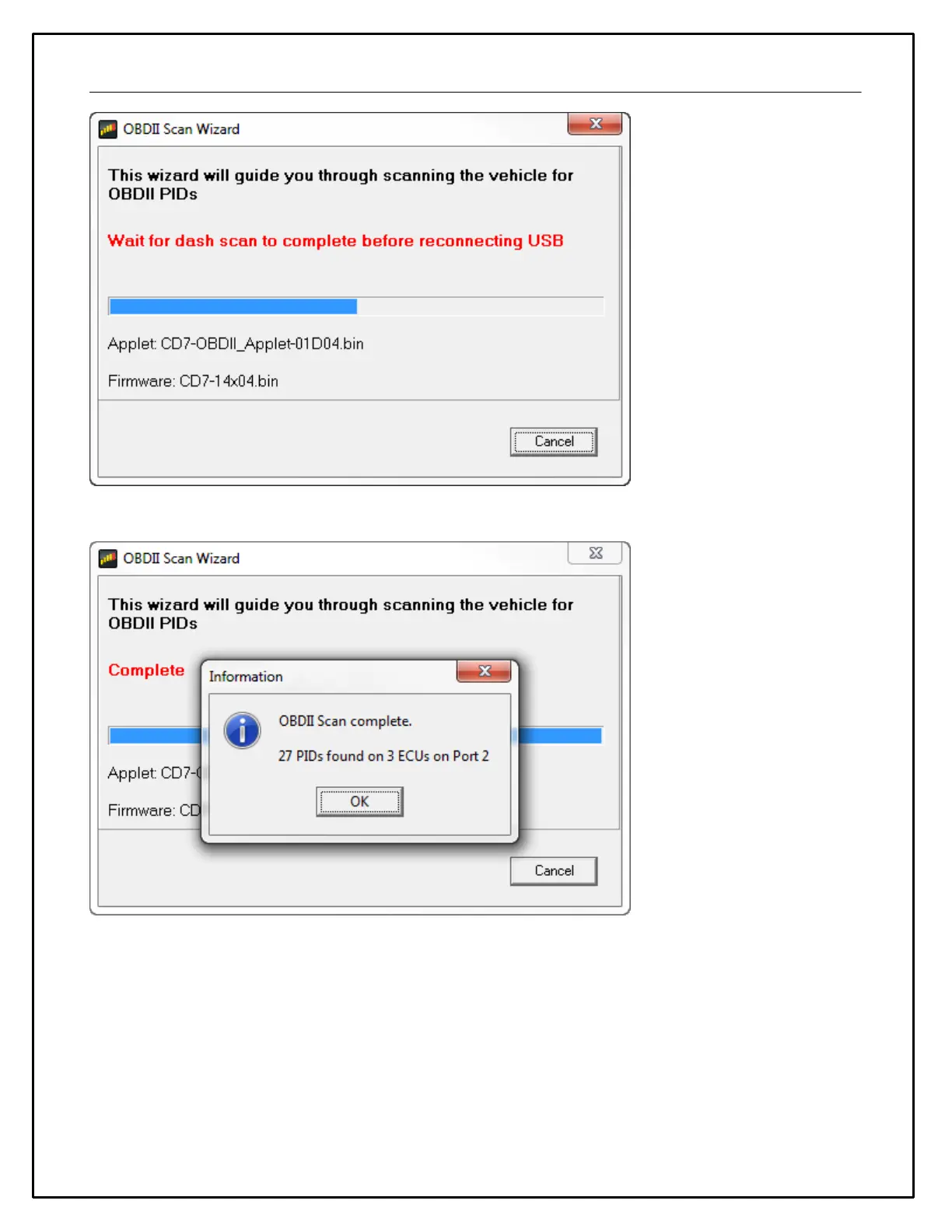
Connect the USB cable to your PC.
The scan is complete. Click OK to proceed. NOTE: At this point, we recommend saving the setup file as there
may have been changes applied during the scan process. You must upload your setup before proceeding
by selecting File | Upload to Display... You can also use the hotkey combination Ctrl+U. If the setup file is
not loaded into dash after completing OBDII Scan Wizard there can be errors or missing data.


 To Next Page