85
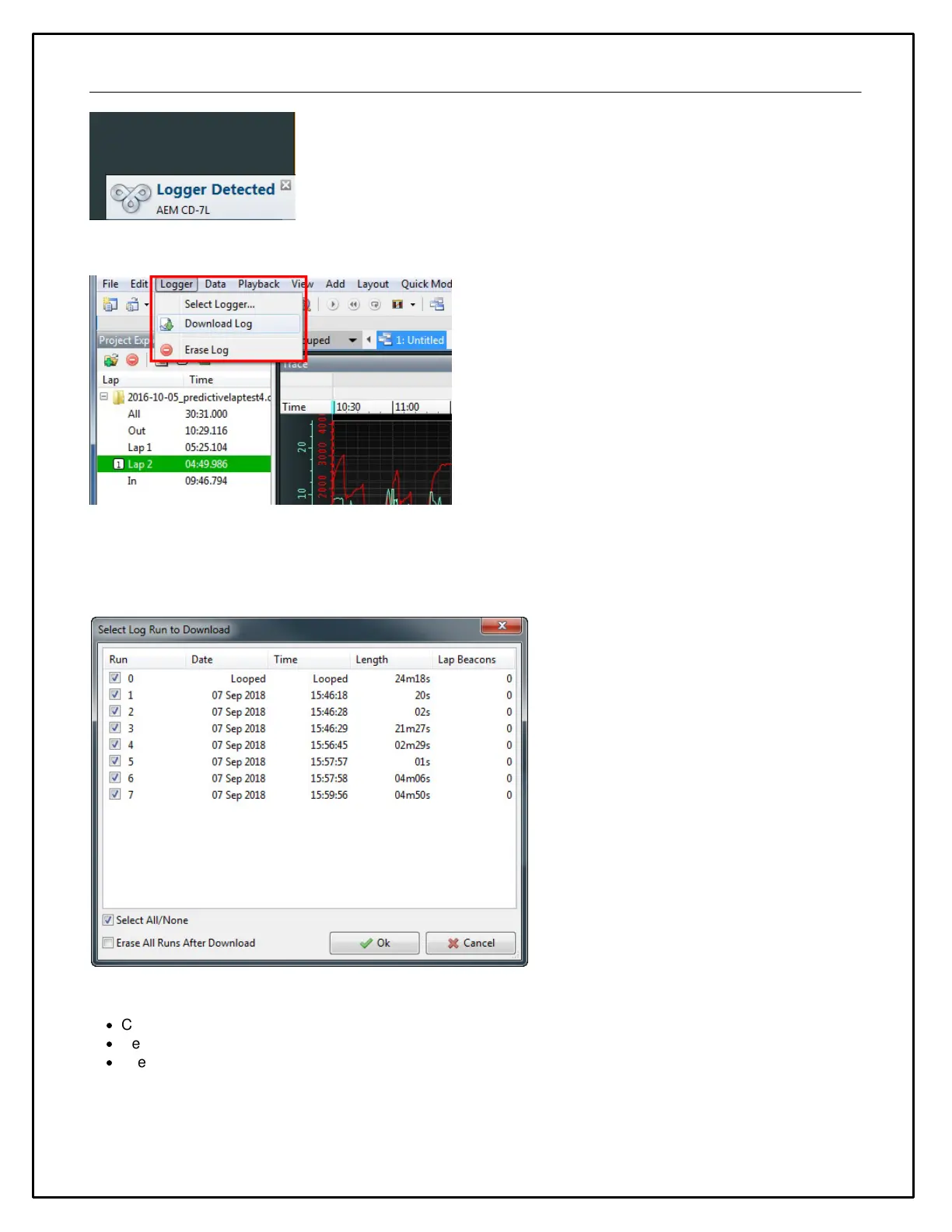
Go to Logger | Download Log
If there are logs saved on the dash, a list similar to the one below will be presented. Select the files to download.
Choose whether to erase the files from the dash or not. The chronologically oldest log file will indicate "Looped" if
loop logging was enabled and the file has been clipped. It will only contain data that hasn't yet been overwritten.
Setting the Internal Clock
·
Connect the color display to your PC using the USB link..
·
Select Tools | Set Time and Date in Display.
·
The system will synchronize the time and date to match the PC.


 To Next Page