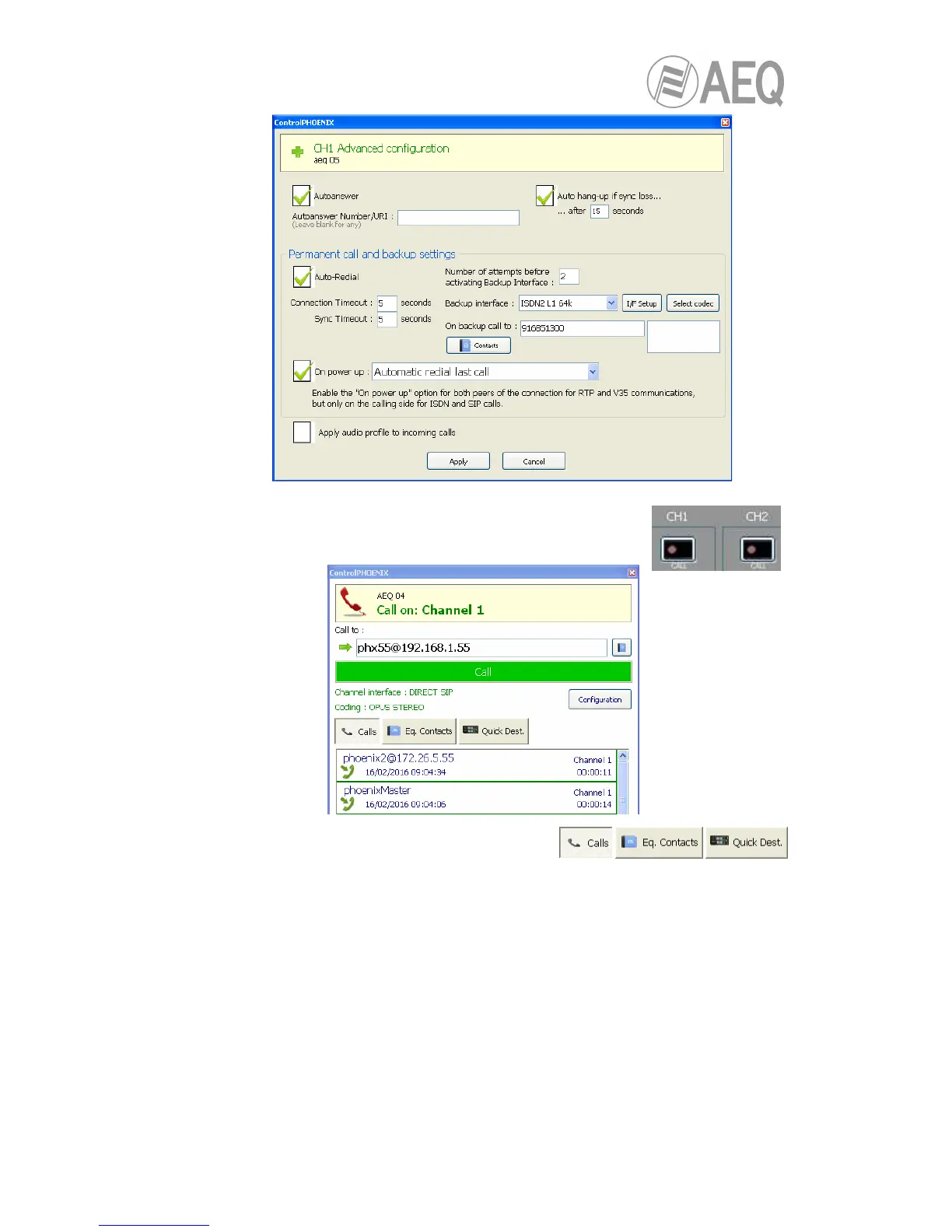
• Return to the individual codec control window and click on
“CALL“ button corresponding to that channel, showing then the
call screen:
Enter the IP address of the remote unit, either
manually or getting it from the buttons:
By clicking here, the last completed calls (“Calls”) the contacts stored in the call book
(“Eq. Contacts”) or the reachable IP units (“Quick Dest.”) are shown respectively, but
only those configured with formats compatible with channel and communication type.
• It is mandatory that the called unit URI is specified in any of the following formats,
adequate for Direct SIP communications:
“<equipment’s_name>@<equipment’s_IP_address>” (for example:
phxst_231@172.26.5.57”).
If the SIP port of the other end is not 5060 (standard SIP port), the identifier must
include the port in use:
For example: “phxst_ 231@172.25.32.11:5061”.
VERY IMPORTANT: <equipment’s_name> must not be longer than 19 characters
• Press the green “Call” button on the screen, to make the call.



 To Next Page