66
TRS
24/07 5979398_00
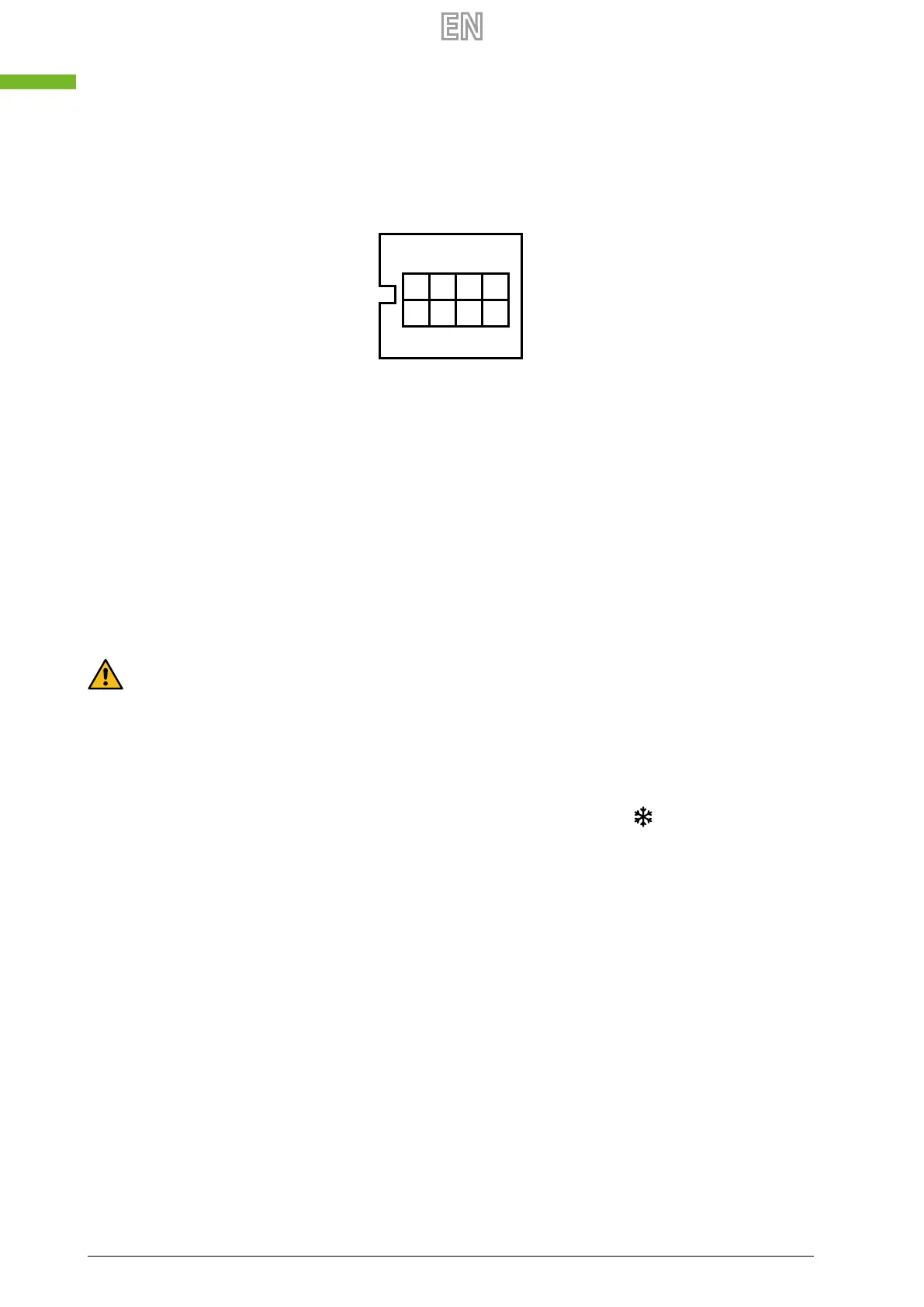
13 INTRODUCTION OF DIAL SWITCH SW4
Dial switch
ON
1. SW 4-1:
OFF - traditional EA expulsion fan defrost
ON - OA side electrical heater defrost
1. SW 4-2:
OFF - Auto by pass
ON - Not settable
3. SW 4-3:
OFF - CO
2
Sensor (if present)
ON - Humidity and CO
2
sensor (if present)
4. SW 4-4:
OFF - Modbus baud rate 4800 bps
ON - Modbus baud rate 9600 bps
Attention: please cut o the power before dialing.
1. SW4-1 is switching the defrost mode: Default is “OFF”, it means traditional defrost by the expulsion fan (EA). When the
control system detects the EA temperature lower than setting value (default is -1°C) and out of the defrost interval time
(default is 30 mins), then the ventilator will enter the defrost mode, at this time, supply (SA) fan will stop, EA fan run at
highest speed, and the defrost duration time is 10 mins (default time).
2. SW4-2 is the by-pass mode. Default is “OFF”, it means that by-pass will open automatically based on the out-
door temperature. The by-pass functioning is automatic: absolutely not switched ON the dip-switch 4-2. When the
outdoor unit enters defrost mode, the snow crystal symbol appears on the control panel
.
3. SW4-3 is switching the forced ventilation mode. Default is “OFF”, it means that the fans are controlled by CO
2
sensor, if present: the controller detects if the sensor is connected or not to the specic PCB connector. When to turn to
“ON”, the humidity probe is enabled, if present: the fans will manage from both CO
2
and humidity sensors. The controller
will follow the quantity that rst reaches the set point. If SW4-3 turn “ON” but without connecting humidity sensor, then
E3 error happen.
4. SW4-4 modbus data transmission speed: adjustment the factory setting “OFF”, 4800 bps. The choice depends on the
supervisory system and the transmission speed.
Fan control logic from external contact
It is possible to activate the fans from external contact, through the Low speed, Medium speed or High speed clean con-
tacts(see wiring diagram). When the selected contact closes, there are two cases, depending on whether the recuperator is
on or o:
— Recovery unit o from control panel: when the contact closes, the fans will activate at the selected speed; when the
contact opens, the fans will switch o and the recovery unit will return to its previous OFF state.
— Recovery unit on from control panel: when the contact closes, the fans will go to the chosen speed; when the contact
is opened, the fans will return to the state prior to the closure of the contact itself, ie the speed value that was previously
selected by the user through the control panel.
If want the operation of the external contacts to be On / O with the unit turned o when the contact is opened, you must
make sure to turn o the unit from the panel before activating one of the three contacts.



 To Next Page