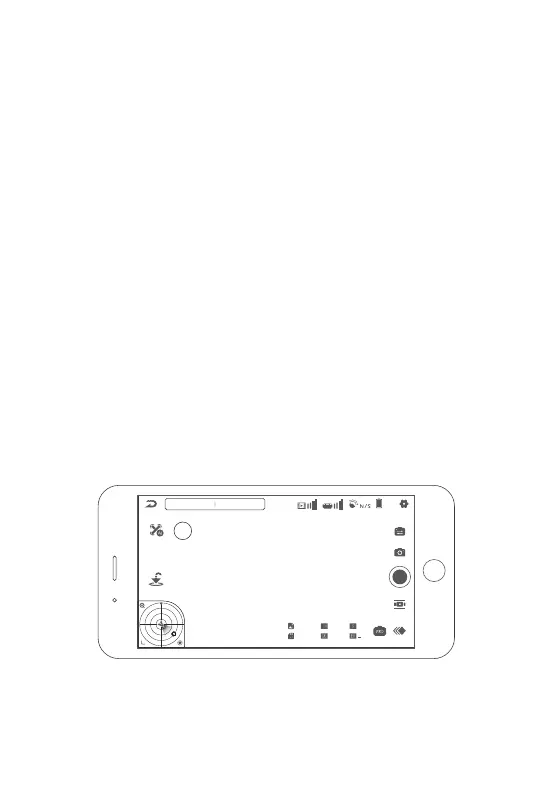
2.11 Battery Struggle Mode
If the aircraft battery level drops to 11%, a “Z” icon will appear in the upper left
corner of the flight interface. Tap this button to enter battery Struggle Mode.
• In Battery Struggle Mode, the aircraft will allocate all remaining power to
maximise flight distance and increase chances of a safe return.
• As such, the stability of the gimbal, image transmission and image may be
affected.
• In this mode, the aircraft will not be forced to land, the battery will drain
completely in flight. It is your responsibility to land in a safe location.
• An additional 2-3 minutes of flight time can be gained by entering this mode.
Entering battery struggle mode may cause irreversible damage to the battery. It will
be automatically recorded by the system and can be used up to 3 times. For any
battery damaged after entering battery struggle mode, Aeroo reserves the right to
refuse warranty.
Speed 0.0m/s H: 0.0m D: 0.0m
N
8.2V
11%
Struggle Mode
Aeroo Pro
1/30
+ 0
100
4800K
J+RAW
120
Z
17


 To Next Page