(Front)
(Back)
(Front)
(Back)
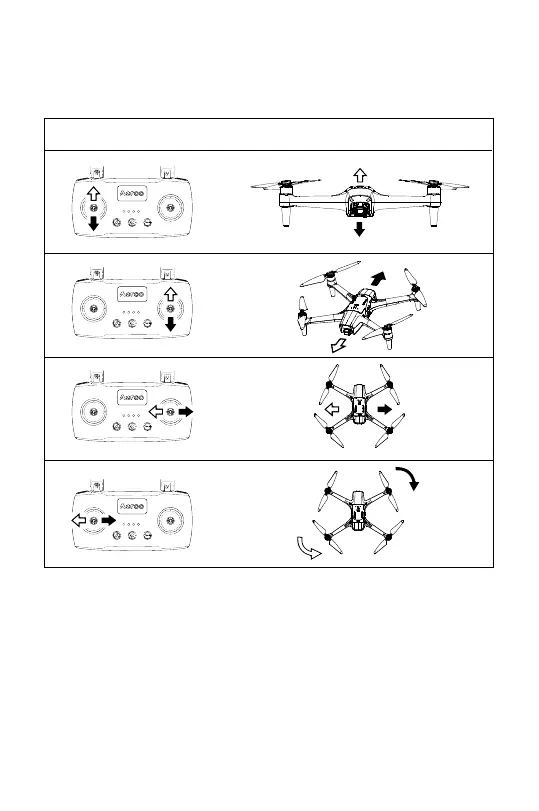
*Mode 2 (Default) shown. Switch between Mode 2 and Mode 1 in Control Settings.
IMPORTANT: Read the “Flight” section of the manual to learn full controls and
safety tips before flying the aircraft.
Before using Aeroo Pro for drone fishing/delivery purposes, read our associated
guide to understand the additional safety precautions and variables involved.
S/N
Key / Switch Function
Forward
Backward
Descend
Ascend
Spin Right
Spin Left
Fly Left
Fly Right
3.2 Basic Controls
22


 To Next Page