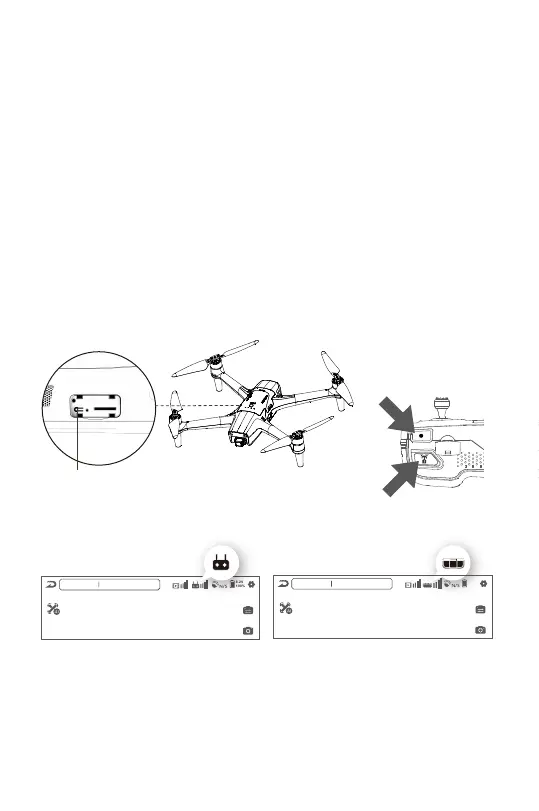
2.12 Pairing The Aircraft
The aircraft will be activated and automatically paired with the remote after
logging into your account with the aircraft connected for the first time.
To pair a new aircraft/remote:
1. Power on the remote and aircraft
2. Press and hold the “payload release” and “video” buttons on the
remote at the same time for ~4 sec until the Remote beeps a second
time. Lights will fash sequentially.
3. Press and hold the aircraft bind button on the aircraft until all lights
on the remote are solid blue.
Before Connecting
After Connecting
N
8.2V
100%
USB cable is not connected
Ocean 1
N
8.2V
100%
Aircraft Disconnected
Ocean 1
Aircraft Bind Button
(2)
(1)
18


 To Next Page