1.First Use
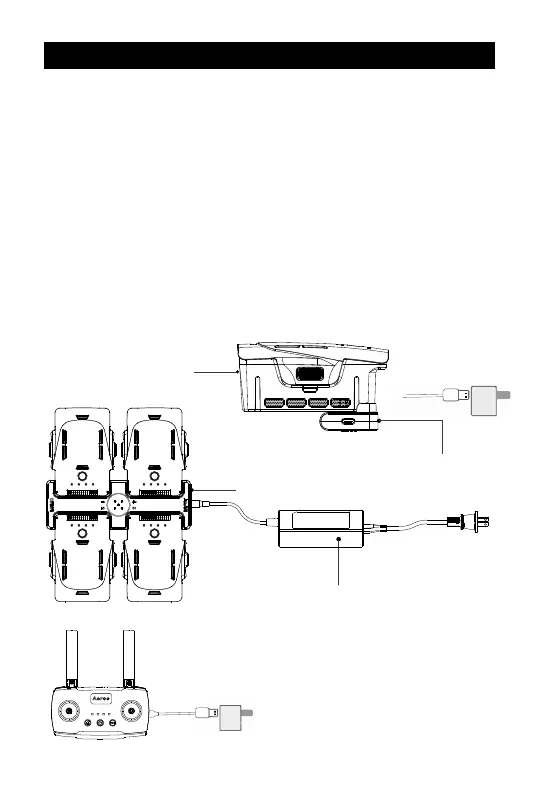
1. Connect the Single Charger or Charging Station (Combo) into the Power
Adapter, and then into the wall.
2. Carefully align the charging pins with the battery connection pins, and
connect. The battery will begin charging after a few seconds.
3. Plug the USB-C cable into the remote and a USB socket to charge.
Battery indicator lights will flash sequentially while charging, when complete, all 4
lights will turn off.
• Always fully charge batteries before
and after flight.
• The Charging Station will only charge
one battery at a time. Once one has
finished charging, the next will start.
AI Flight Battery
Single Charger
Adapter
Charging Station (Combo Only)
IMPORTANT: Read the full the battery section before use
Charge
2


 To Next Page