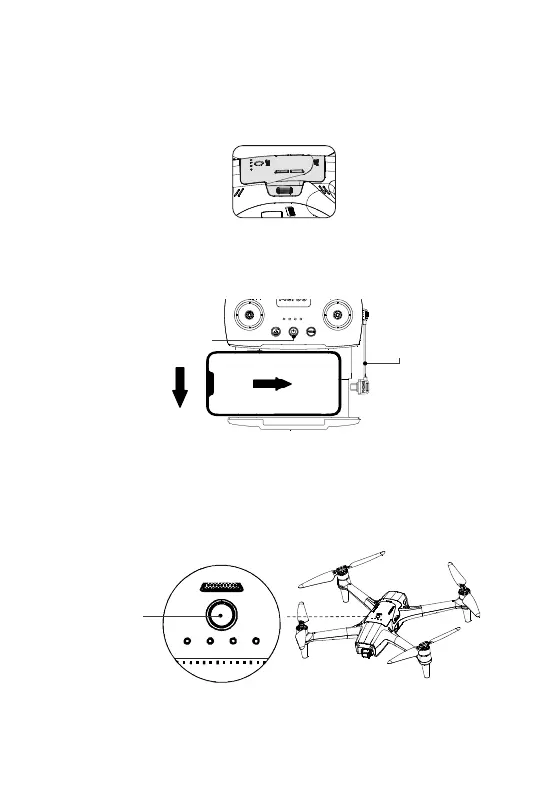
Power On
“Click”
4
Press the aircraft battery firmly down until it clicks in place.
To power off, quickly press and release the power button, then immediately press
again and hold until no lights are illuminated.
Power on the remote by holding the remote power button for 3 seconds.
Power on the aircraft by quickly pressing and releasing the power button, then
immediately press again and hold until all 4 lights are solid.
Mobile
device cable
Slide
Pull
down
Power button
Aircraft
power button
Connect your mobile device to the remote using the provided cable.


 To Next Page