Installation, assembly & setting
36 – 56 Assembly instructions EN CS 8 - CS 12 Date 01.06.2021 Version 4.5
Installation and adjustment of the proximity switch
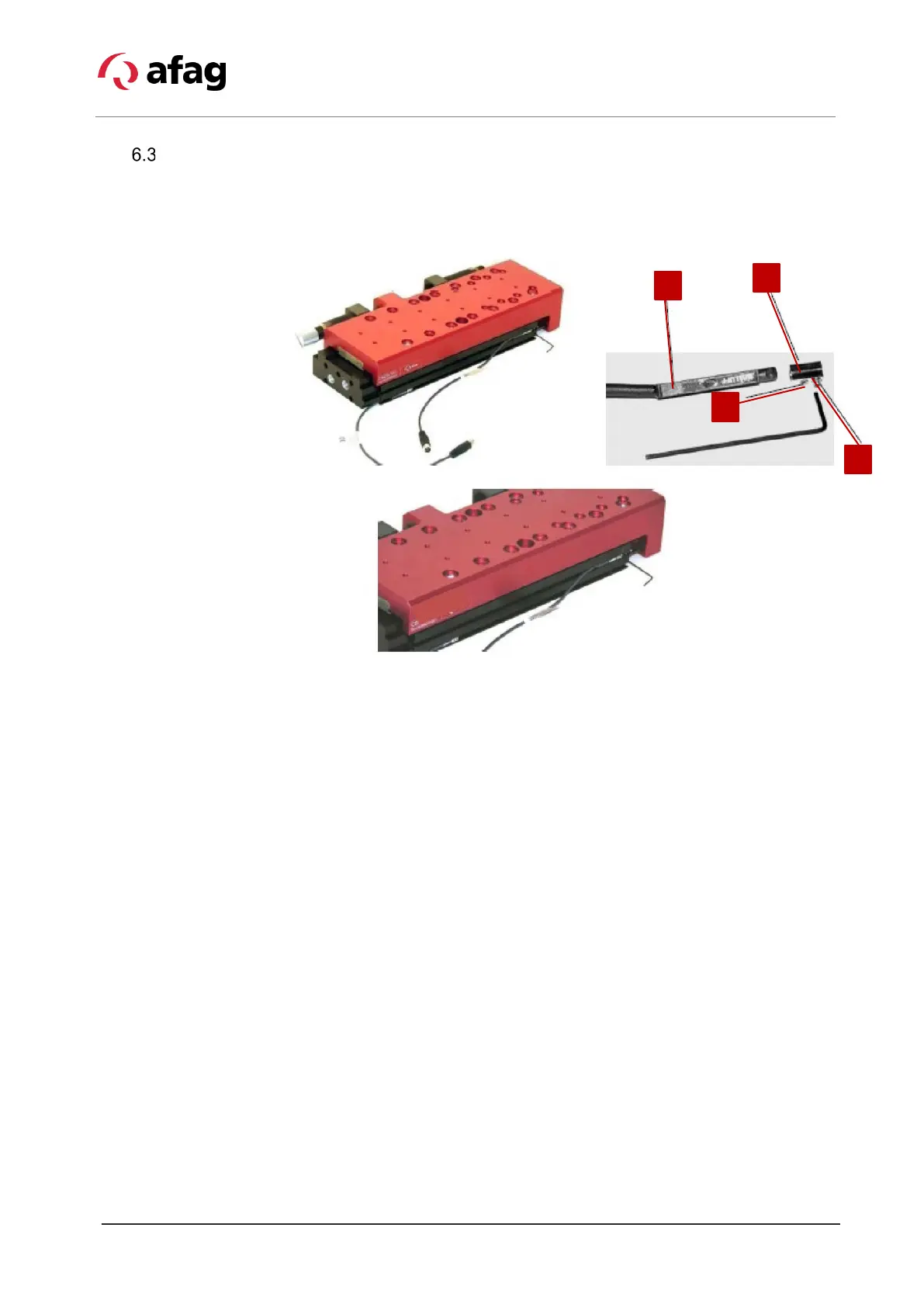
Fixable proximity switches are used for end position sensing of the CS modules.
These proximity switches are mounted in the C-slot on the top of the module
housing.
Fig. 12 Installation and adjustment of the compact slide
1. Proximity switch 2. Screw (fastening of proximity switch)
3. Screw (fastening in slot) 4. Clamping piece
Mounting the proximity switch
Proceed as follows to install the sensors:
1. Insert the proximity switch (Fig. 12, 1) with the mounted clamping piece into
the C-slot.
2. Fasten the proximity switch in the C-slot with the fastening screws on the
clamping piece (Fig. 12, 3).
3. Connect the proximity switch to the control system.
4. Perform a functional check of the proximity switch.
The proximity switch is mounted.


 To Next Page