Digitizer Remote Display
Digitizer Remote Display is an application running on the NX PC.
To verify if Digitizer Remote Display is running, check if the Digitizer Remote
Display icon is present in the Windows taskbar:
To start the Digitizer Remote Display, go to the Windows Start menu >
Startup and click DigitizerRemoteDisplay.
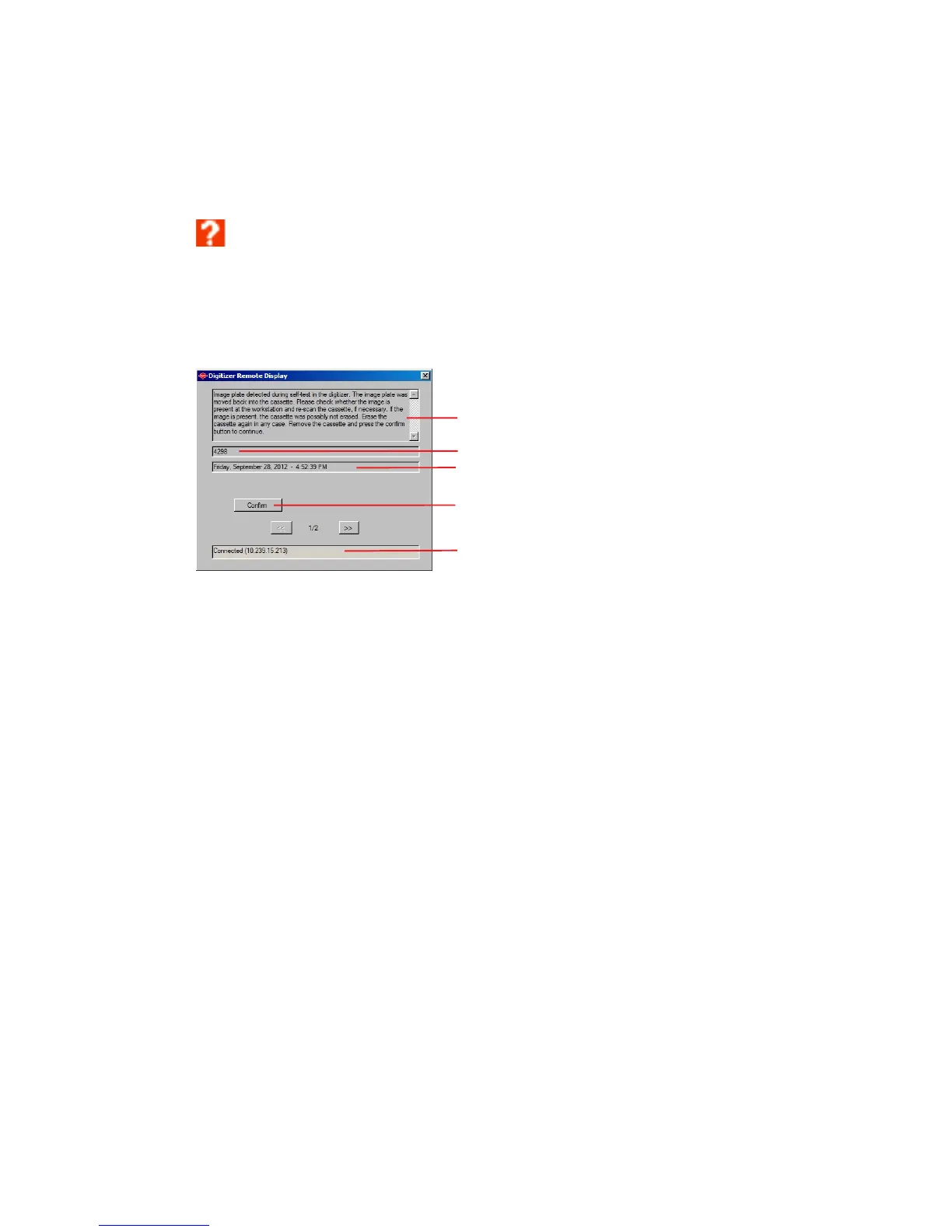
The Digitizer Remote Display dialog contains information about the status of
the digitizer.
1.
Error message
2.
Error code
3.
Date and time of error
4.
Confirm button
5.
Connection status and IP address
60 | CR 10-X, CR 12-X, CR 15-X | Operating CR 10-X, CR 12-X and CR 15-X
2491E EN 20150409 1543



 To Next Page