Cleaning the Optical Unit
The only maintenance action which you must perform is checking the image
quality. Refer to the User Manual of the NX
TM
software.
CAUTION:
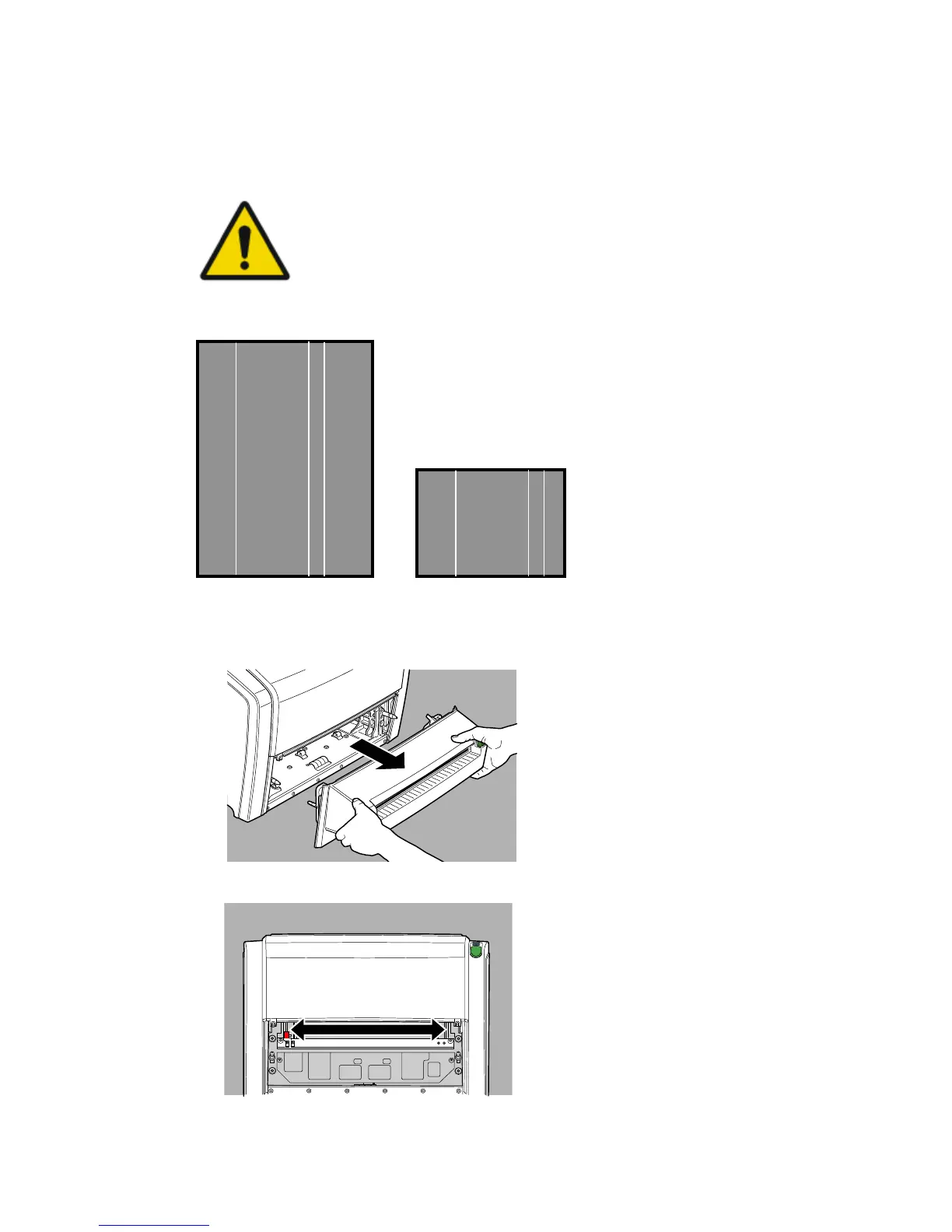
Dust can cause stripes in the image, parallel to the image
plate movement.
When you recognize this type of artefact, clean the optic unit
using the cleaning brush.
To clean the optic unit, proceed as follows:
1. Remove the cassette unit.
2. Move the cleaning lever from left to right and back.
This is the location of the cleaning lever:
CR 10-X, CR 12-X, CR 15-X | Operating CR 10-X, CR 12-X and CR 15-X | 71
2491E EN 20150409 1543



 To Next Page