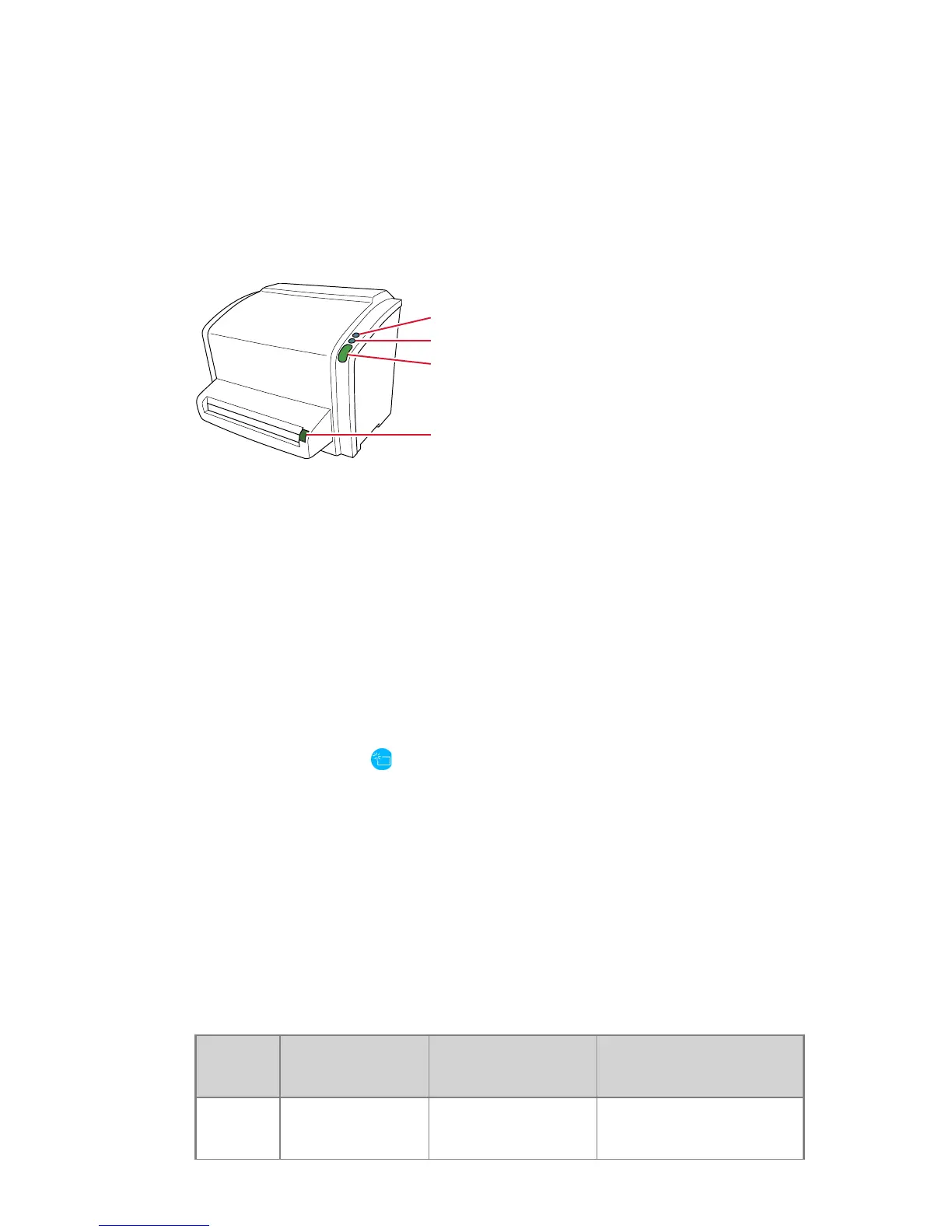
1.
Power button
2.
Erase button
3.
Status indicator
4.
Cassette release button
Topics:
• The Erase Button
• Status Indicator
The Erase Button
Press the erase button
to start the erasing cycle of an image plate. After
pressing the erase button, the status indicator is continuously lighting up in
blue and the digitizer starts erasing the image plate of the cassette inserted
next. If no cassette with image plate has been inserted after 60 seconds, the
system automatically returns to standby mode.
Related Links
Re-erasing an Image Plate on page 52
Status Indicator
The indicator informs the user by light signals about the status of the digitizer.
It is positioned at the front of the digitizer, so that it is visible from a distance.
Color
Constant/
Blinking
Status Action
Blue Constant Activating the
erasing cycle
Insert cassette to erase
the image plate.
CR 10-X, CR 12-X, CR 15-X | Introduction | 15
2491E EN 20150409 1543



 To Next Page