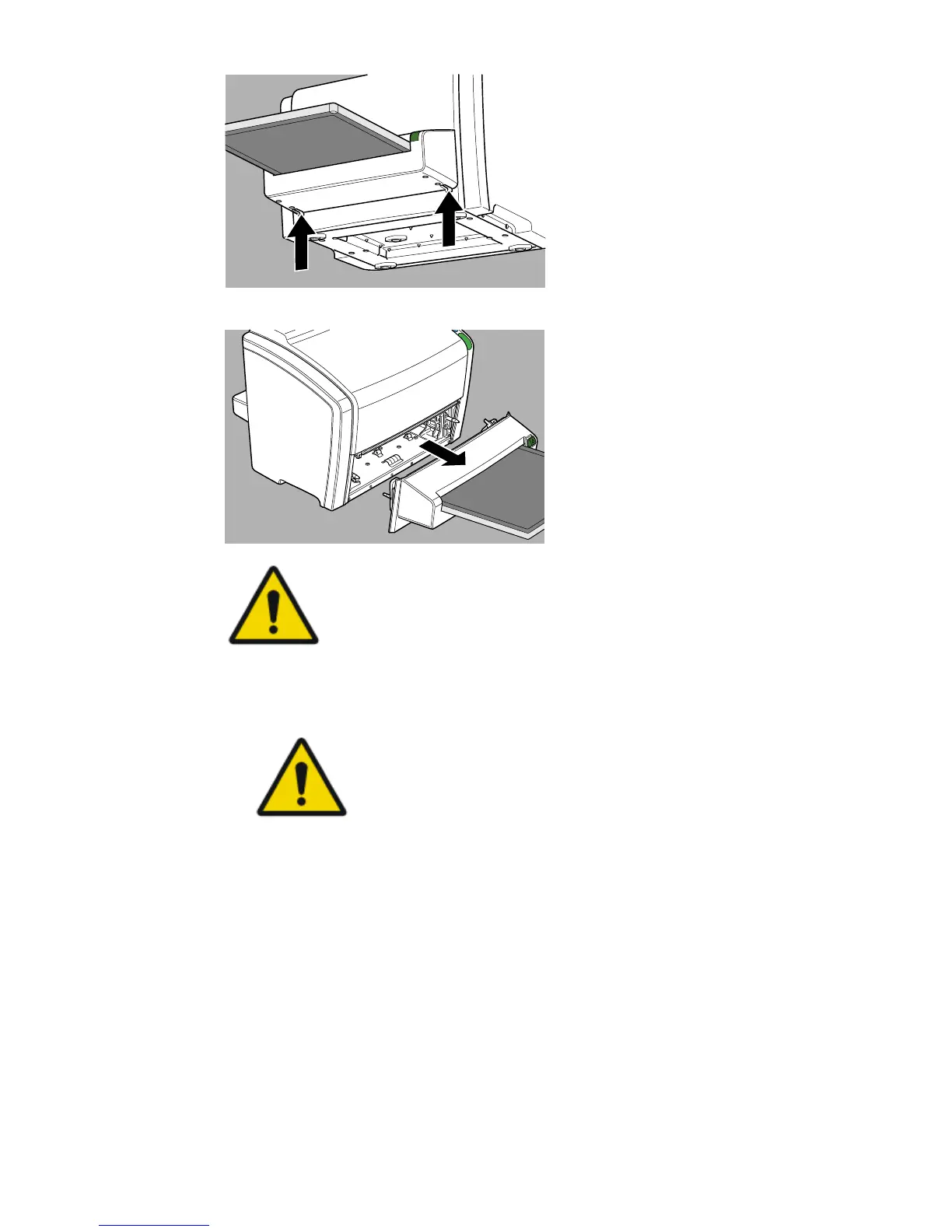
7. Slide out the cassette unit with the cassette attached.
WARNING:
The cassette unit and/or the cassette falling down can
cause injury of the operator.
Take safety precautions to avoid injury.
8. Remove the jammed image plate and insert it in the cassette.
• If the image plate is inside the cassette.
CAUTION:
The image plate may slide out of the cassette.
Be careful not to drop the image plate.
1. Put the cassette unit with the cassette on a table.
2. Slide the image plate completely into the cassette.
3. Push the release button to detach the cassette from the cassette
unit.
• If the image plate is in the digitizer and visible from the front side:
1. Put the cassette unit with the cassette on a table.
2. Gently remove the image plate from the digitizer.
3. Slide the image plate completely into the cassette.
4. Push the release button to detach the cassette from the cassette
unit.
• If the image plate is in the digitizer but not visible from the front side:
1. Put the cassette unit with the cassette on a table.
CR 10-X, CR 12-X, CR 15-X | Operating CR 10-X, CR 12-X and CR 15-X |
67
2491E EN 20150409 1543



 To Next Page