14 15
AgfaPhoto SELECTA 16 AgfaPhoto SELECTA 16AgfaPhoto SELECTA 16 AgfaPhoto SELECTA 16
Turning On and Off
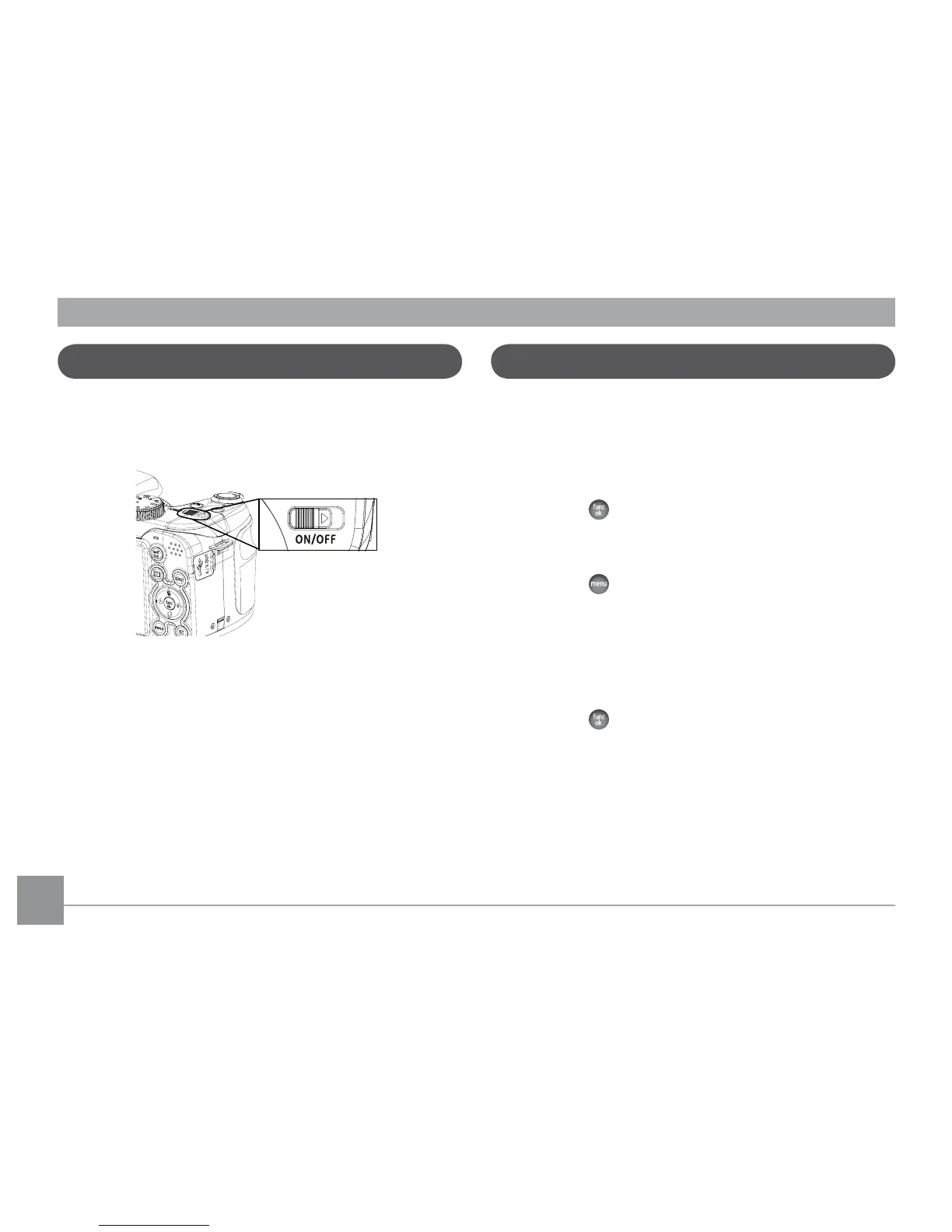
Push ON/OFF to turn on/off camera.
After the camera is powered on, set the camera to Auto
mode by turning the Mode dial at the top of the top of the
camera (see page 16). When using the camera for the first-
time, the language setting page will appear.
Setting Language and Date/Time
When turning on the camera for the first time, the Display
Language and Date/Time Setup menu will appear. Use the
following procedures to set the camera to your preferences:
1. Push ON/OFF to turn on the camera.
2.
Press Up/Down/Left/Right button to select the settings.
3. Press the
button to confirm the settings.
Set Display Language
1. Press the button and the Left/Right button and
select the General Setup menu tab.
2.
Use the
Up/Down button
and scroll down to
Language
.
Then press the
Right button
to access the language
opt
ions.
3. Use the Up/Down/Left/Right buttons to select the
desired language.
4. Press the
button to confirm the setting.













 To Next Page