46 47
AgfaPhoto SELECTA 16 AgfaPhoto SELECTA 16
Photo Menu
USING THE MENUS
Mode:
P
S
A
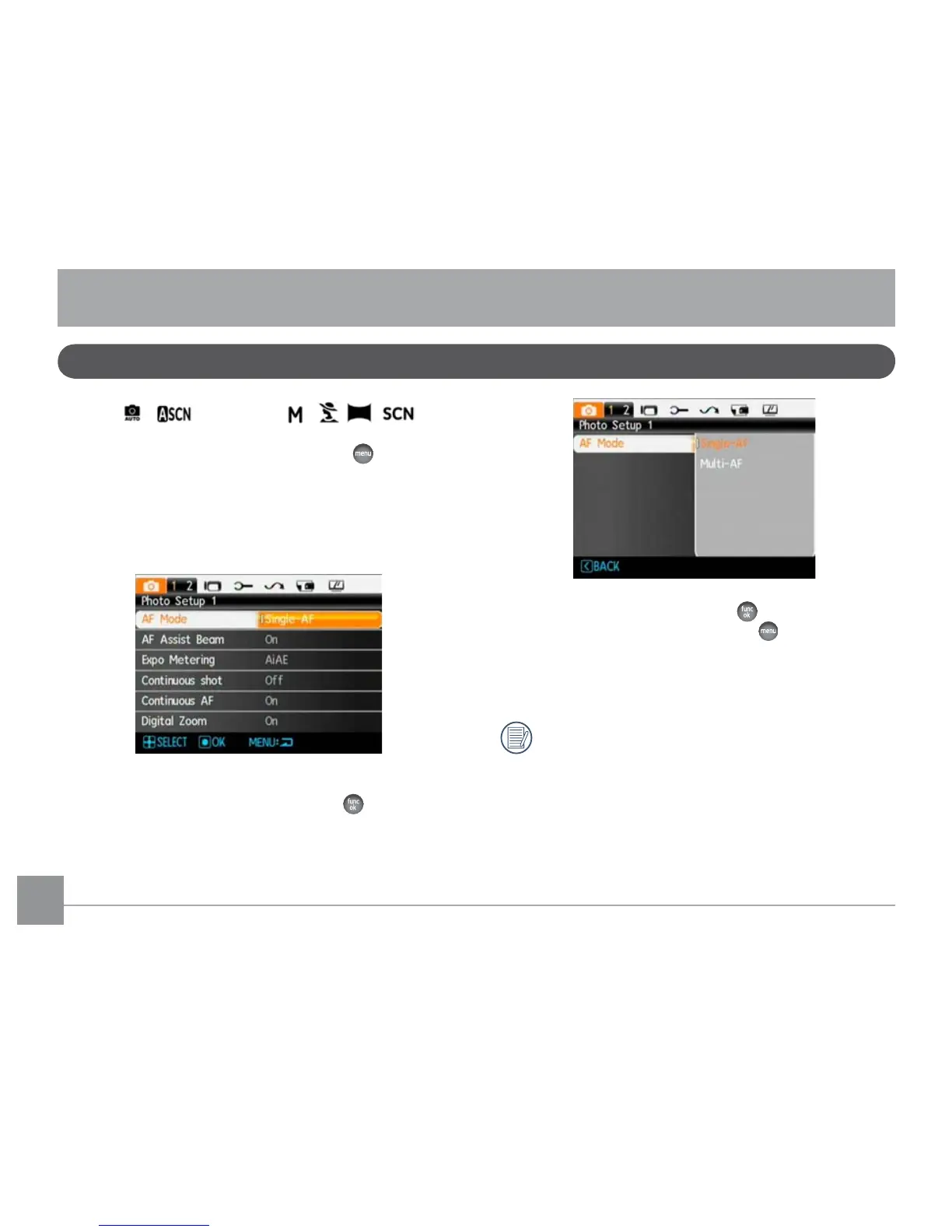
In any of the above Photo Modes, press the button to
go to the Photo Menu.
To adjust each setting:
1. In the Photo Menu, use the Left/Right button to select
the Tab (at the top of the screen) corresponding to the
page containing the function you wish to change.
2. Press the Up/Down buttons to select the function.
3. Press the Right button, or the function
button to go
to the sub-menu.
4. In the sub-menu press the Up/Down button to select
a setting and press the function button to confirm
that setting and exit the sub-menu. button to return
to the menu.
5. Use the Up/Down Left/Right button to continue to
navigate the Photo Menu for additional changes, or
press the menu button to exit the Photo Menu.
After selecting a function, you can press the Up
button to return to the St
ill Picture menu for other
Photo Setup or Camera Setup pages. Or you can
press the Down button several times to move to the
next setup menu page.
Refer to the following pages for more details about each
setting.













 To Next Page