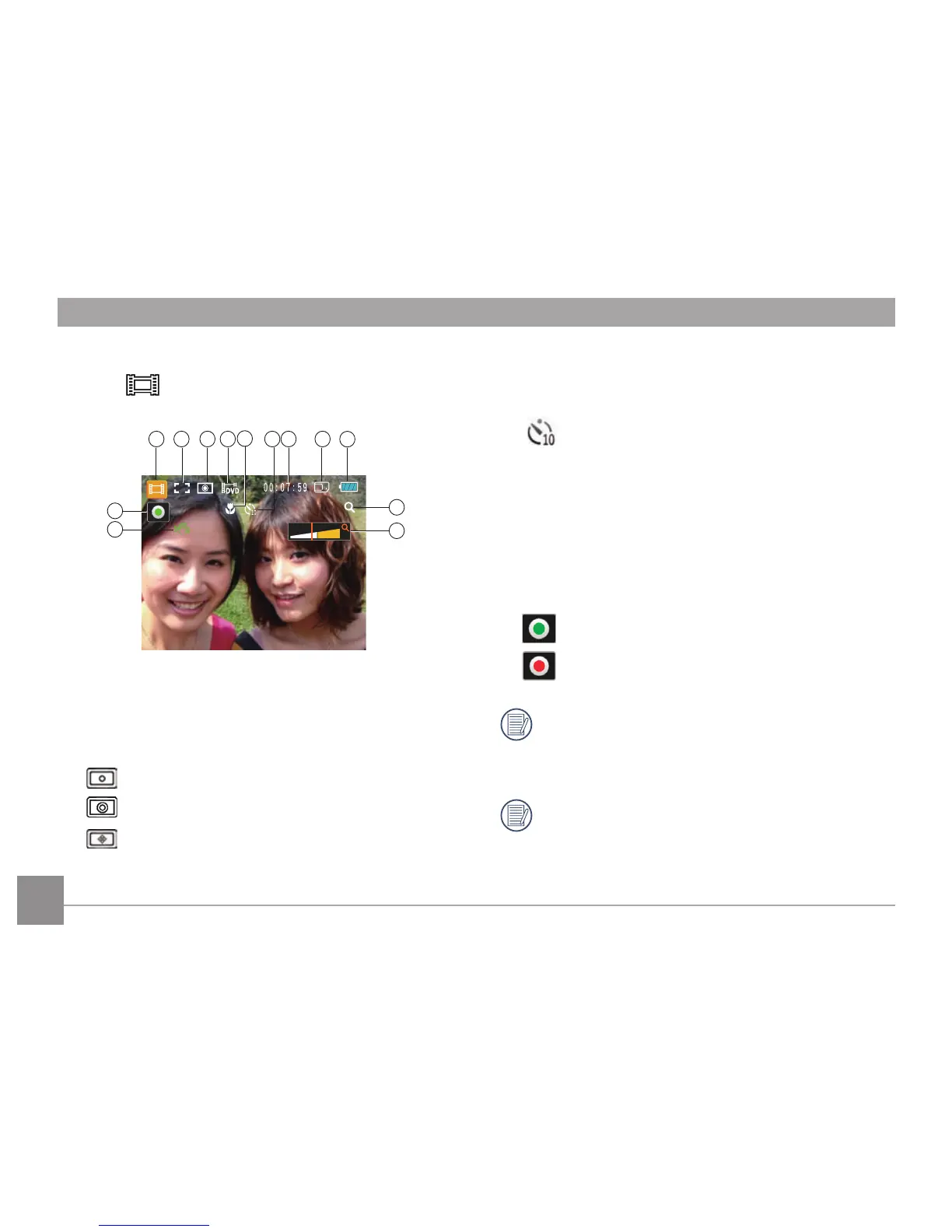
1 Video Mode icon
2 Continuous AF
3 Metering
Spot
Center
AiAE
4 Video Quality
5 Macro Mode
6 Self-timer
10-sec
7 Remaining Time for Video Recording
8 Memory Card/Built-in Memory
9 Battery Status
10 WT Ratio (Displayed only when zoom is activated)
11 Zoom
12 Stabilization
13 Recording Status Icon
Recording standby
Recording
For optimal video shooting, it is recommended that
an SD card be used. If you try to shoot video with
just internal memory the results may show picture
jitter, noise and a short recording.
During the shooting, both optical zoom and up to
4.5x digital zoom are available.













 To Next Page