14 15
AgfaPhoto SELECTA 16 AgfaPhoto SELECTA 16
15
AgfaPhoto SELECTA 16 AgfaPhoto SELECTA 16
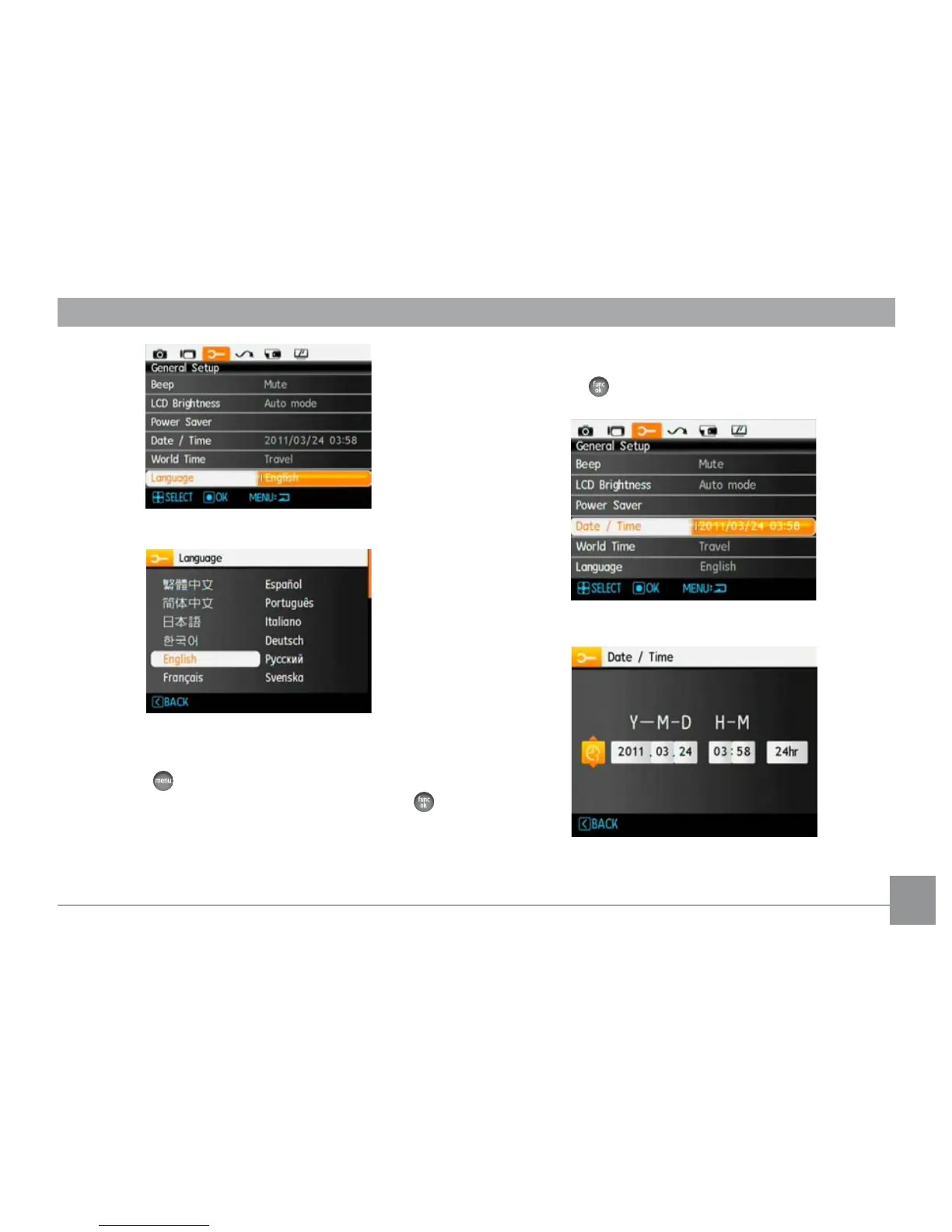
2. Use the Left/Right button to select date or time field,
then press Up/Down buttons to adjust values.
3. Press the
button to confirm the settings.
Set Date/Time
1. Press the button and use the Up/Down button to
select the the General Setup menu tab. Press the
button to enter the Date/Time menu.













 To Next Page