14
1
Quick Start
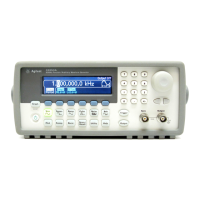
One of the first things you will want to do with your function generator is
to become acquainted with the front panel. We have written the exercises
in this chapter to prepare the instrument for use and help you get
familiar with some of its front-panel operations. This chapter is divided
into the following sections:
• To Prepare the Function Generator for Use, on page 15
• To Adjust the Carrying Handle, on page 16
• To Set the Output Frequency, on page 17
• To Set the Output Amplitude, on page 18
• To Set a DC Offset Voltage, on page 20
• To Set the Duty Cycle, on page 21
• To Configure a Pulse Waveform, on page 22
• To View a Waveform Graph, on page 23
• To Output a Stored Arbitrary Waveform, on page 24
• To Use the Built-In Help System, on page 25
• To Rack Mount the Function Generator, on page 27


 To Next Page