agria Multi-Purpose Machine 400P 25
3. Devices and Operating Elements
Stand
3
Pto drive
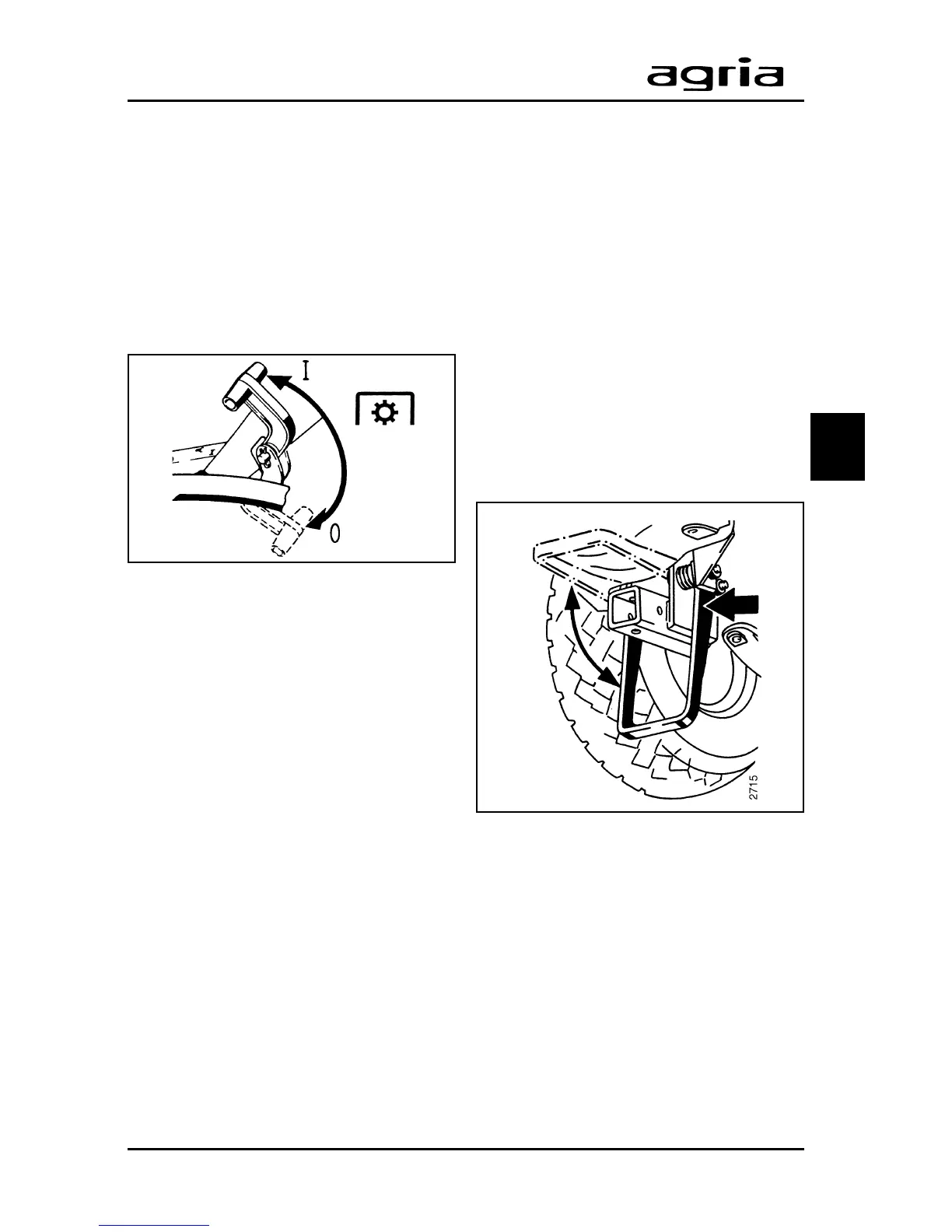
Switching on the pto:
Move the pto lever (C/7) to the rear and
up to a stop.
Switching off the pto:
Move the pto lever to the front and down.
I
If it is not possible to move the
pto lever (selector sleeve can-
not lock into drive shaft pin), then shortly
lift the clutch lever (C/5) all the way to
reverse while operating the pto lever. To
do this, the engine has to be in neutral
(not full throttle).
Stand
The machine 400P is equipped with a
stand on the base machine, which al-
lows the machine to be parked more
easily after the attachment has been
decoupled.
To do this, push on the stand from the
right side and push it down. Take the
force off and move the stand further
down until it locks.
To fold the stand up, reverse the above
process.
Note: Before you take up operation, fold
up the stand.



 To Next Page