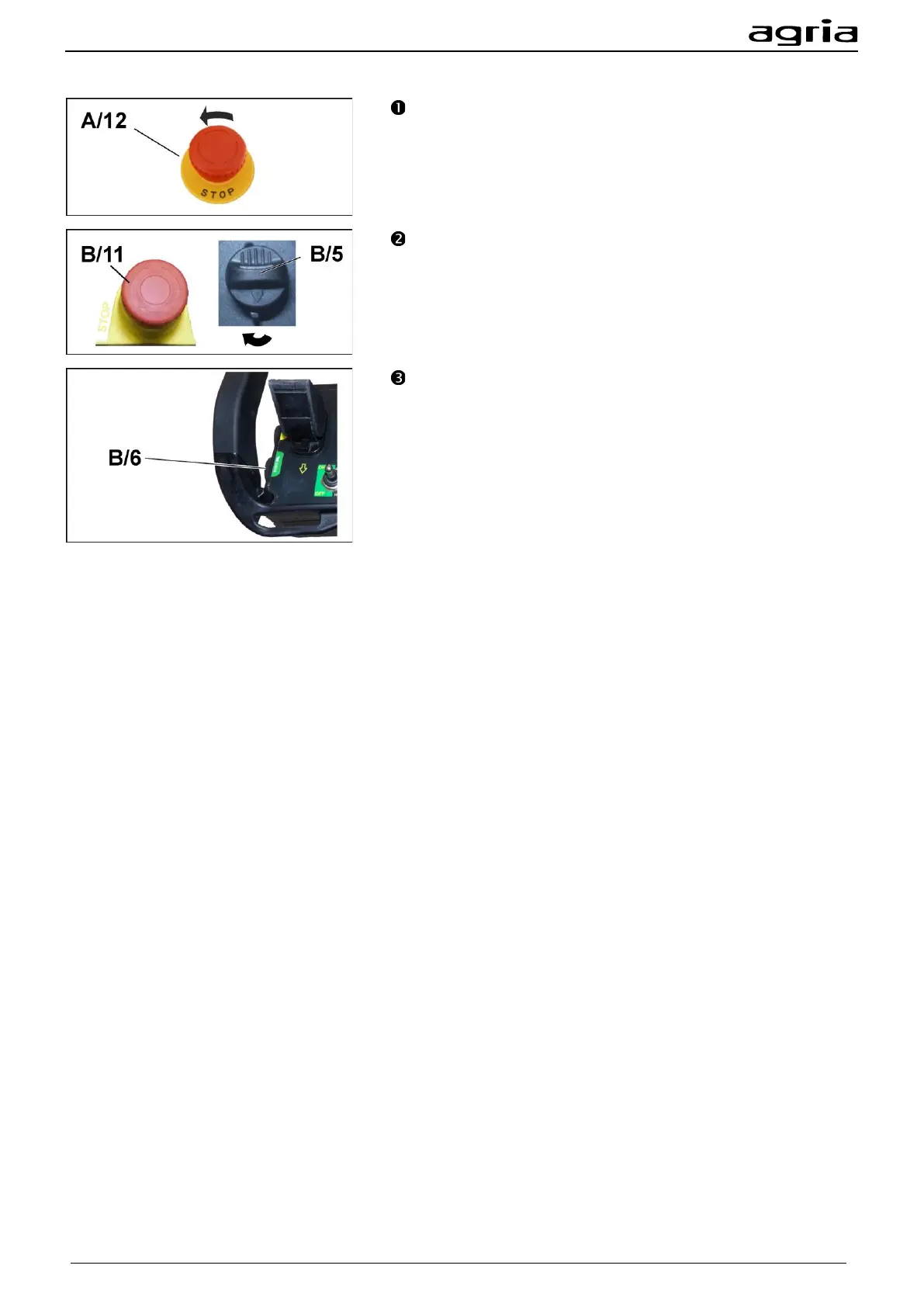
Unlock the EMERGENCY STOP switch (B/11) on the radio
remote control (turn it to the right). Switch on the radio remote
control with the key switch (B/5) on the left-hand side (turn key
to the right).
Press the release button (B/6) on the left-hand side of the
remote control. The green LED of the remote control (B/10)
flashes rapidly. The display starts up on the display screen.
The strength of the radio signal is indicated by the bar at the
bottom right of the display.
Press the green release button (B/6) again; if a radio connec-
tion has been established, the green LED of the remote control
(B/10) now flashes slowly. The machine now unlocks in suc-
cession the traction drive and the PTO shaft drive. This takes
approx. 5 sec. The radio system shows the machine data on
the display. Wait until all fields of the display are filled with the
respective data.


 To Next Page