EasyManua.ls Logo

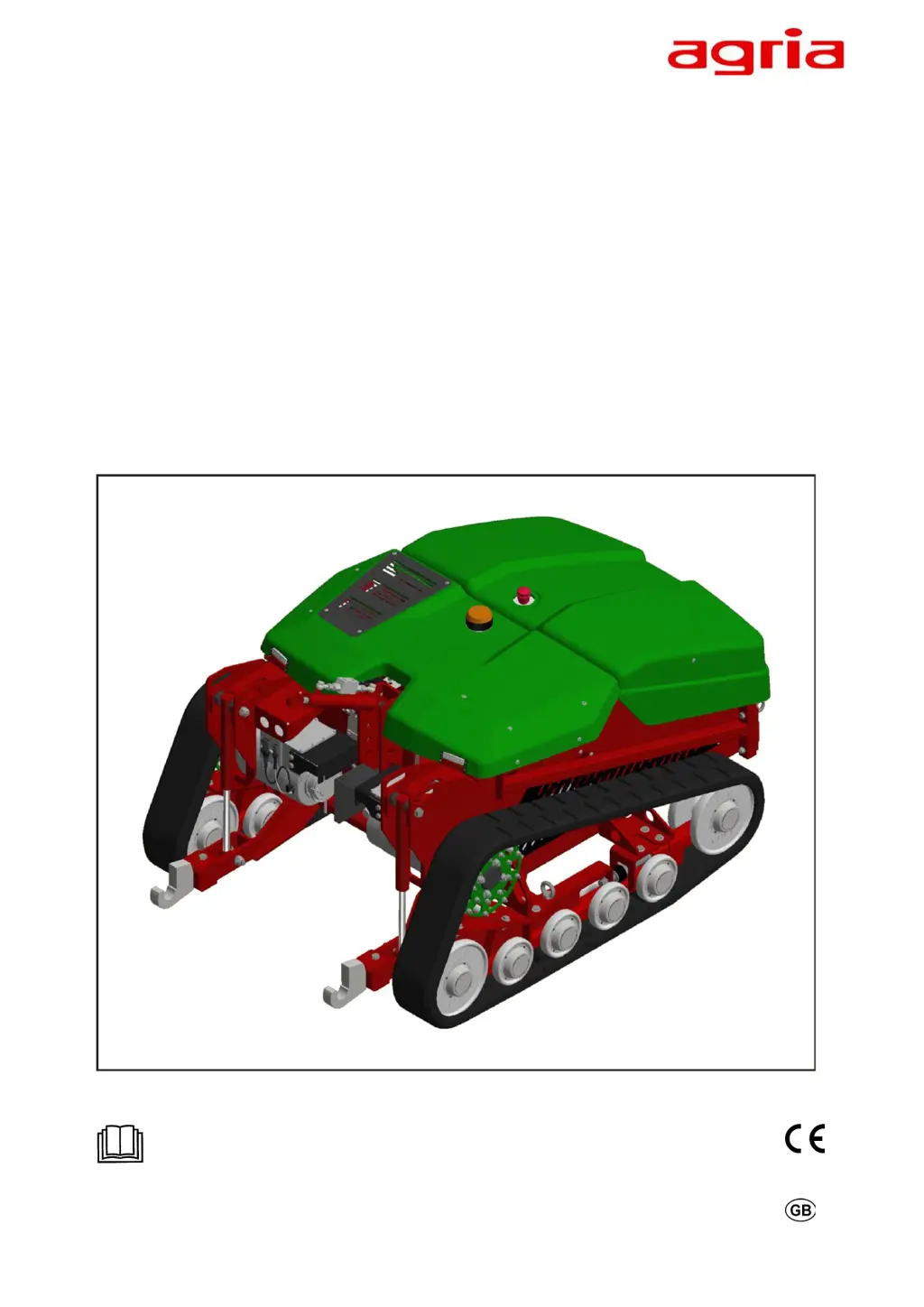
Agria 9700e - User Manual

Agria 9700e
64 pages
Print Icon
To Next Page IconTo Next Page
Loading...
Translation of the original Operating Instructions
Remote-controlled All-electric Tool Carrier
agria 9700e
9700 111
Before commissioning please read the operating instructions and note the safety
and warning information!
Operating instruction No. B998010GB 11.22

Questions and Answers

  • J
    Jordan MooreAug 13, 2025
    What to do if the lower link does not move on my Agria Industrial Equipment?
    • B
      Bryan RobertsAug 13, 2025
      If the lower link of your Agria Industrial Equipment does not move, it could be due to an inadequate hydraulic oil level. Check the hydraulic oil level and top up if necessary. Alternatively, the hydraulic lines may be defective, so inspect them and replace if needed. Finally, a foreign object might be blocking the lower link; remove any obstruction you find.
  • S
    Sara BennettAug 16, 2025
    Why hydraulic unit does not operate on my Agria Industrial Equipment?
    • I
      Ian NielsenAug 16, 2025
      If the hydraulic unit of your Agria Industrial Equipment fails to operate, the issue might stem from an inadequate hydraulic oil level. You should check the hydraulic oil level and top up if necessary. Another potential cause is a defect in the electric activation. Therefore, check the electric cables.
  • P
    Patrick RiversAug 20, 2025
    How to fix a mounted implement shaft that won't turn on my Agria Industrial Equipment?
    • J
      Jason HillAug 20, 2025
      If the mounted implement shaft on your Agria Industrial Equipment isn't turning, it could be due to several reasons. First, the V-belt of the mounted implement drive might be too loose; re-tension it. Second, the V-belt could be defective and need replacement. Lastly, a foreign object might be blocking the mounted implement; remove any obstruction.
  • J
    Jared PrattAug 25, 2025
    What to do if the upper link does not move on my Agria Industrial Equipment?
    • K
      kelseythomasAug 25, 2025
      If the upper link of your Agria Industrial Equipment isn't moving, it might be caused by an inadequate hydraulic oil level, so check and top up if necessary. Another possible reason is defective hydraulic lines; inspect and replace them if needed.
  • D
    David WilsonAug 27, 2025
    How to reduce excessive vibration in Agria Industrial Equipment?
    • B
      Brandi ElliottAug 27, 2025
      If your Agria Industrial Equipment is experiencing excessive vibration, check if the fixing screws are loose and tighten them.
  • J
    Justin JohnsonAug 31, 2025
    What to do if the crawler tracks do not move on Agria Industrial Equipment?
    • C
      cjohnsonAug 31, 2025
      If the crawler tracks on your Agria Industrial Equipment don't move when you use the joystick, it could be because the crawler tracks are blocked by grass residues or other foreign objects. Remove any blockages. Another cause could be defective wiring on the electric motors; check the wiring and replace if necessary.
  • R
    roy05Sep 4, 2025
    Why do the crawler tracks run slowly on my Agria Industrial Equipment?
    • F
      fparkerSep 4, 2025
      If the crawler tracks on your Agria Industrial Equipment are running slower than expected, it might be because they are hampered by grass residues or other foreign objects. Remove any residues or blockage.
  • R
    rebecca43Sep 7, 2025
    Why is the radio connection interrupted on my Agria Industrial Equipment?
    • C
      Christopher BassSep 7, 2025
      If the radio connection is interrupted during operation of your Agria Industrial Equipment, it is because the distance between the remote control and the machine is too great. Do not allow the distance to become too great.

Summary

Designation of Parts Fig. A

Safety Instructions

Intended Use

Defines the proper application and limitations of the machine.

Foreseeable Misuse and Improper Handling

Lists potential misuse scenarios and associated risks.

General Safety Regulations

Outlines general safety rules and legal compliance for machine operation.

Working Area and Danger Zones

Specifies safe operating areas and exclusion zones around the machine.

Operation and Protective Devices

Details pre-operation checks and necessary safety equipment.

Technical Data

Remote-Controlled Implement Carrier Specs

Technical specifications for the main machine unit.

Devices and Operating Elements

Remote Control Operation

Description of the remote control unit and its functions.

Remote Control Display Guide

Explanation of the information displayed on the remote control screen.

Implement Installation and Removal

Procedures for safely attaching and detaching mounted implements.

Commissioning and Operation

Danger Zone Definition

Defines safety zones around the machine during operation.

Operating the Machine

Instructions for operating the machine in various conditions.

Maintenance and Repair

Troubleshooting and Remedies

Implement Carrier Faults

Solutions for common faults related to the implement carrier.

Hydraulic System Faults

Troubleshooting common issues with the hydraulic system.

Remote Control Troubleshooting

Diagnosing and resolving issues with the remote control system.

Decommissioning and Disposal

Inspection and Maintenance Overview

Hydraulic System Diagram

Remote Control Parts Designation Fig. B

Agria 9700e Specifications

General IconGeneral
BrandAgria
Model9700e
CategoryIndustrial Equipment
LanguageEnglish