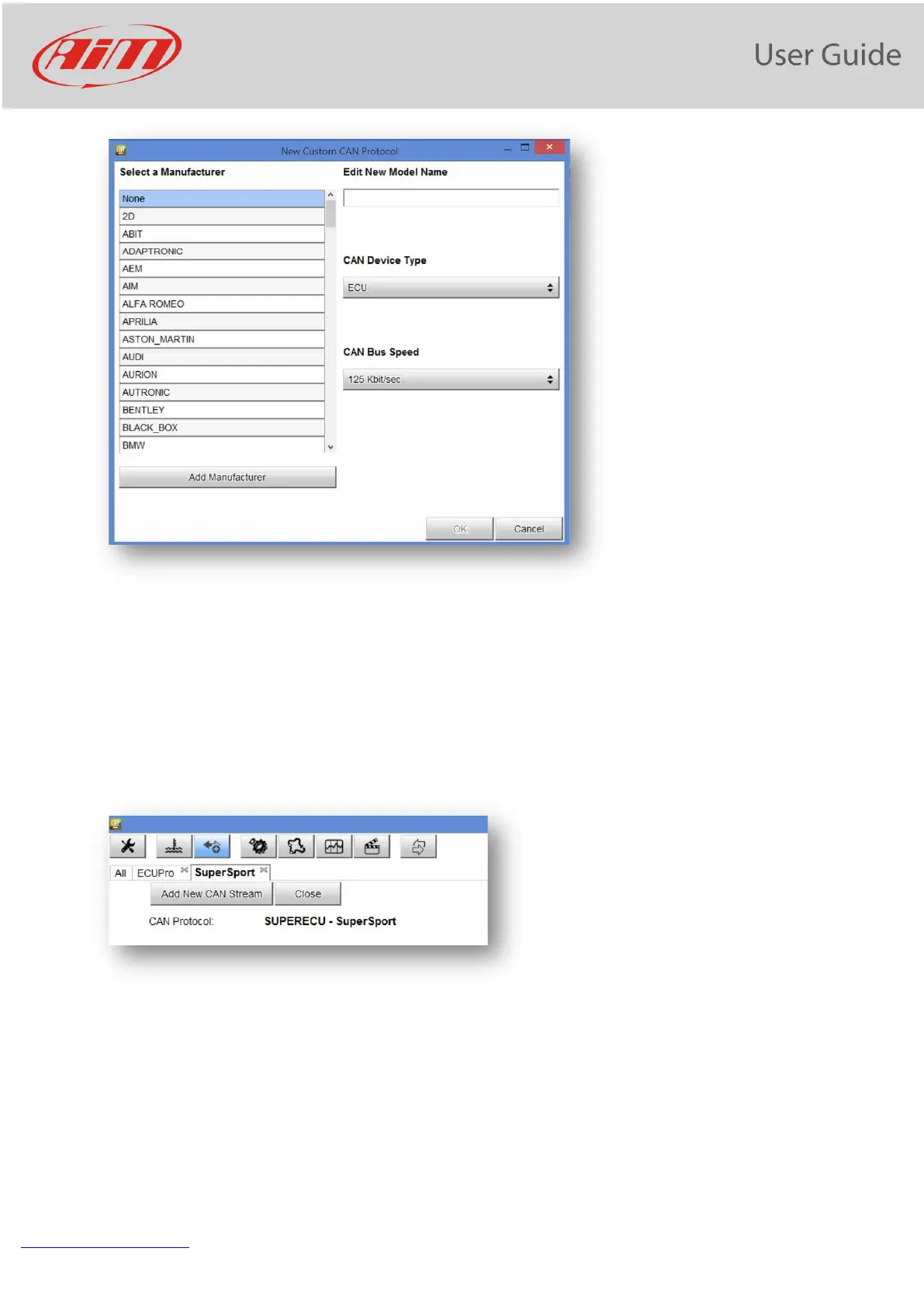
Here you can set:
- the Device manufacturer and the Model name, for then being able to select the new protocol, that you
will find in the Protocols Database. In case the Device Manufacturer is not in the list, you can add it.
- the Device Type: it can be ECU (in this case it can be managed only in CAN1 of the Aim Loggers/dashes) or
Another CAN device ( in this case it can be managed both in CAN1 and in CAN2)
- the CAN bus speed
After having set the proper fields, this page appears:
You have two pushbuttons:
1) Add New can Stream
2) CLOSE
After having eventually defined the Password and the License Code, you can start creating the Protocol.
Click on "ADD NEW CAN STREAM" and the new window appears:


 To Next Page