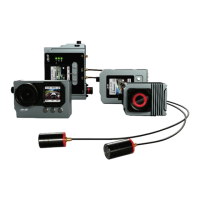
SmartyCam
User Manual
Release 1.04
3
www.smartycam.com
INDEX
INTRODUCTION ............................................................................................................................................... 4
Chapter 1 – SmartyCam: kit and optional items ........................................................................................... 5
1.1 – SmartyCam kits ............................................................................................................................................................................ 5
1.2 – ECU bridge kits ............................................................................................................................................................................. 5
1.3 – SmartyCam optional items: cables and external microphone ................................................................................................. 6
Chapter 2 – Data sampled by SmartyCam stand alone/slave ..................................................................... 7
Chapter 3 – SmartyCam connections ............................................................................................................ 8
3.1 – Connecting SmartyCam stand alone .......................................................................................................................................... 8
3.2 – Connecting SmartyCam in Slave expansion mode with ECU Bridge ..................................................................................... 9
3.3 – SmartyCam in Slave expansion mode with AIM loggers ........................................................................................................ 10
Chapter 4 – SmartyCam battery charging ................................................................................................... 11
4.1 – Battery charging via USB .......................................................................................................................................................... 11
4.2 – Battery charging via connector ................................................................................................................................................ 11
Chapter 5 – SmartyCam configuration ........................................................................................................ 12
Chapter 6 – How to use SmartyCam ............................................................................................................ 13
6.1 – “Battery and Memory Status” field ........................................................................................................................................... 13
6.2 – How to switch SmartyCam on/off ............................................................................................................................................. 14
6.3 – “Online” status (or mode).......................................................................................................................................................... 14
6.3.1 – “SETTINGS” option .............................................................................................................................................................. 15
6.3.1.1 – Accelerometer calibration: “ACCEL CALIBR” option ........................................................................................................ 15
6.4 – How to record videos ................................................................................................................................................................. 16
6.4.1 –Manual recording .................................................................................................................................................................. 16
6.4.2 –Automatic recording .............................................................................................................................................................. 17
6.5 – SmartyCam recording support ................................................................................................................................................. 17
Chapter 7– Downloading data and viewing SmartyCam videos ............................................................... 18
7.1 – Downloading data....................................................................................................................................................................... 18
7.2 – Viewing SmartyCam videos ...................................................................................................................................................... 18
7.2.1 – Viewing SmartyCam videos on the PC ................................................................................................................................ 18
7.2.2 – Viewing SmartyCam videos on the TV ................................................................................................................................ 18
Chapter 8 – SmartyCam Maintenance ......................................................................................................... 18
Appendix “A” – Technical specifications ................................................................................................... 19
Appendix “B” – SmartyCam Pinout ............................................................................................................. 20
Appendix “C” – SmartyCam cables Pinout ................................................................................................ 21
Appendix “D” – ECU Bridge Pinout ............................................................................................................. 24
Appendix “E” – SmartyCam with external power ...................................................................................... 26
Appendix “F” – Connection scheme with AIM loggers ............................................................................. 27
F.1 – SmartyCam – ECU Bridge connection scheme ....................................................................................................................... 27
F.2 – SmartyCam – MXL connection scheme ................................................................................................................................... 29
F.3 – SmartyCam – EVO3 connection scheme ................................................................................................................................. 32
F.4 – SmartyCam – EVO4 connection scheme ................................................................................................................................. 36
F.5 – SmartyCam – MyChron4 connection scheme ......................................................................................................................... 39



 To Next Page