SmartyCam
User Manual
Release 1.04
8
www.smartycam.com
3
Chapter 3 – SmartyCam connections
The alternative SmartyCam modes (Stand Alone or Slave Expansion) require different
connection procedures.
15
3.1 – Connecting SmartyCam stand alone
SmartyCam stand alone can be connected in different ways:
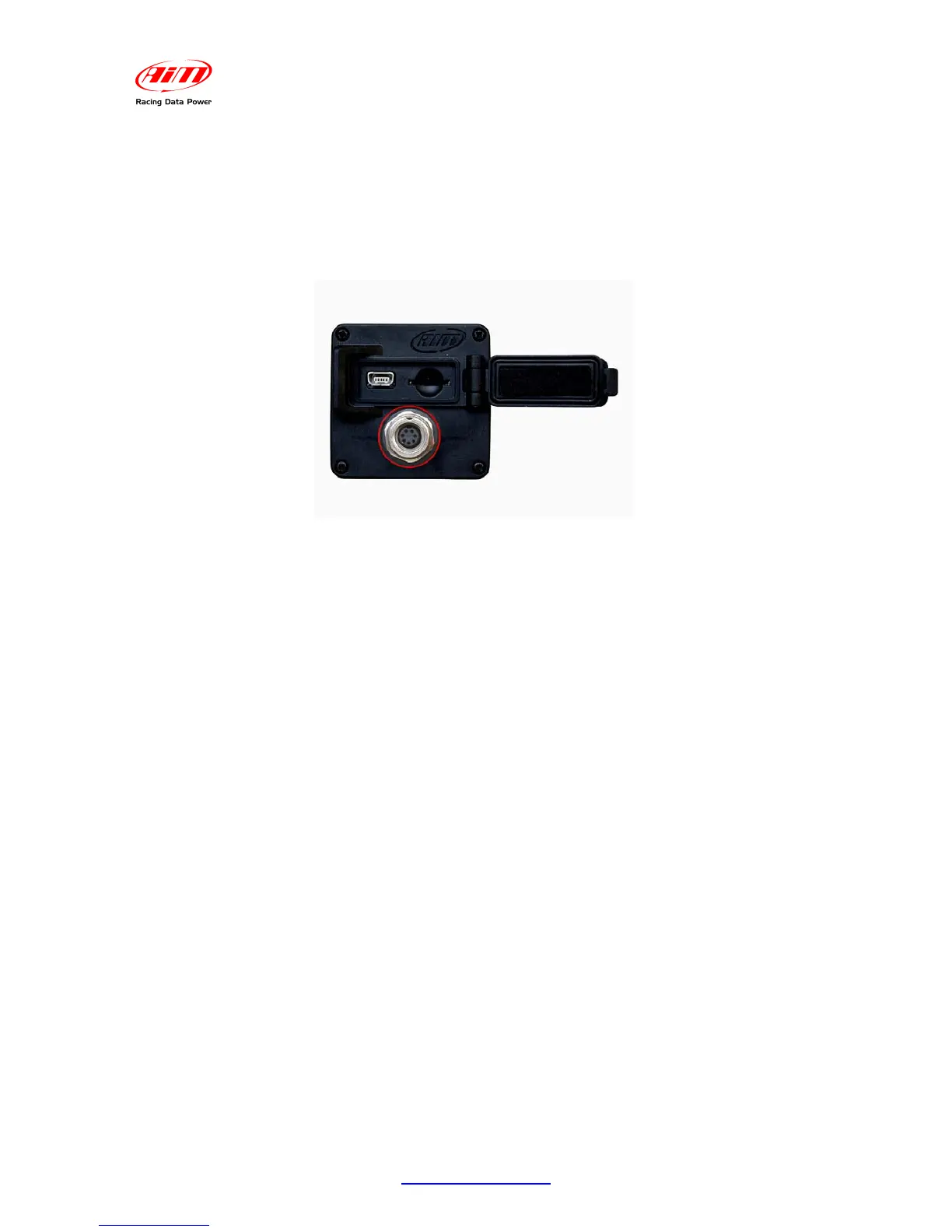
• connection to the external power: use the 7-pins connector highlighted in the image
above and connect the power cables to a 12 Volts power source i.e. the vehicle
battery.
• connection to the external microphone: the external microphone plugs directly in the
7 pins connector highlighted in the image here above.
• connection to optional cables and external microphone: use the 7-pins connector
highlighted in the image here above and connect the power cables to an external 12
Volts power source.


 To Next Page