SmartyCam
User Manual
Release 1.04
9
www.smartycam.com
26
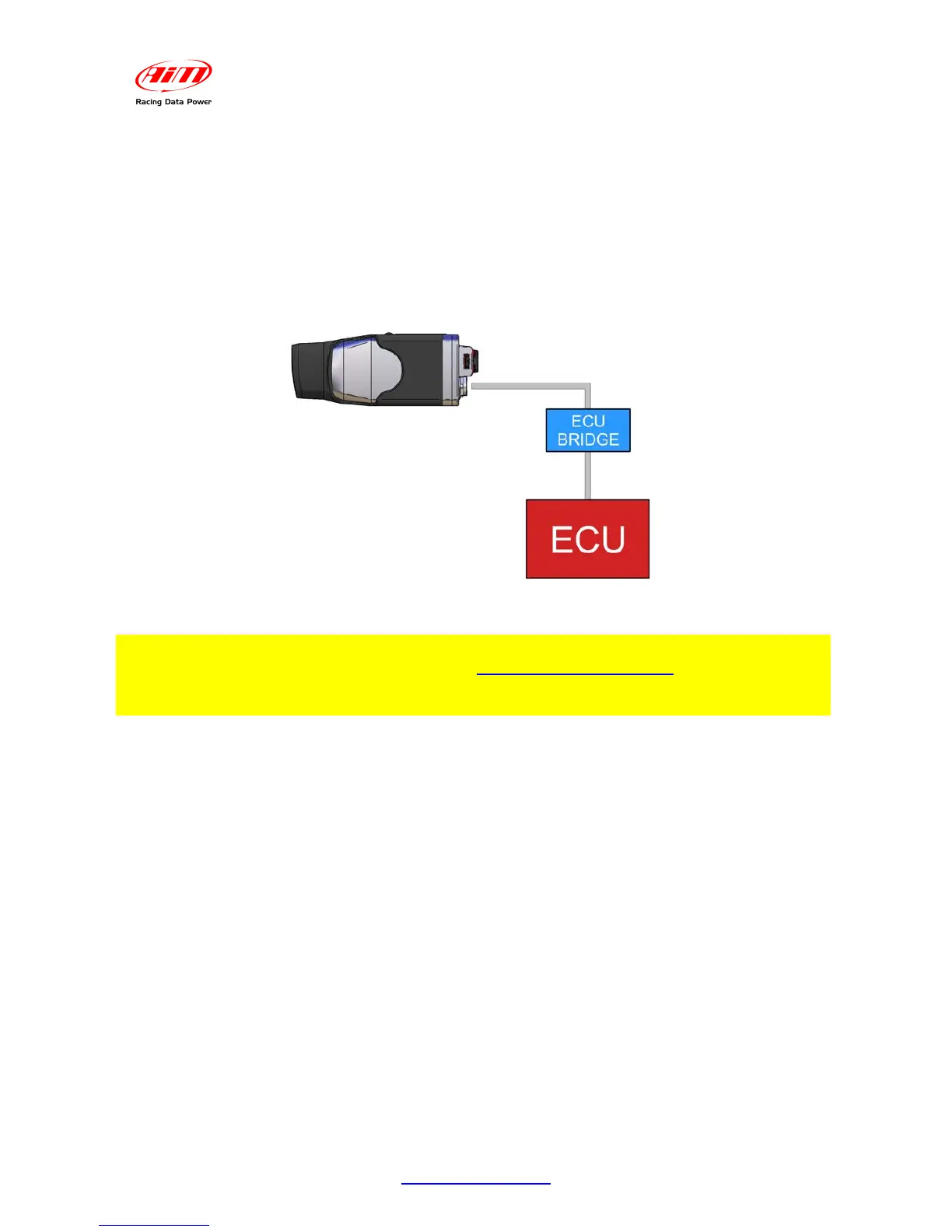
3.2 – Connecting SmartyCam in Slave expansion mode with ECU Bridge
In order to receive the info provided by the vehicle ECU without any additional logger,
SmartyCam must be used in Slave expansion mode and connected via CAN to an ECU
Bridge, using the 7-pins connector placed on the product rear. Today ECU Bridges are
available for CAN, RS232 e K Line communication protocols.
Please refer to appendix “B” and “D” to know SmartyCam and ECU Bridge pinout.
Warning: please refer to Race Studio Configuration user manual for more info
about ECU Bridge configuration, and to www.aim-sportline.com documentation
download area for more info about ECU supported by AIM systems and their
communication/connection protocols.


 To Next Page