SmartyCam
User Manual
Release 1.04
6
www.smartycam.com
25
1.3 – SmartyCam optional items: cables and external microphone
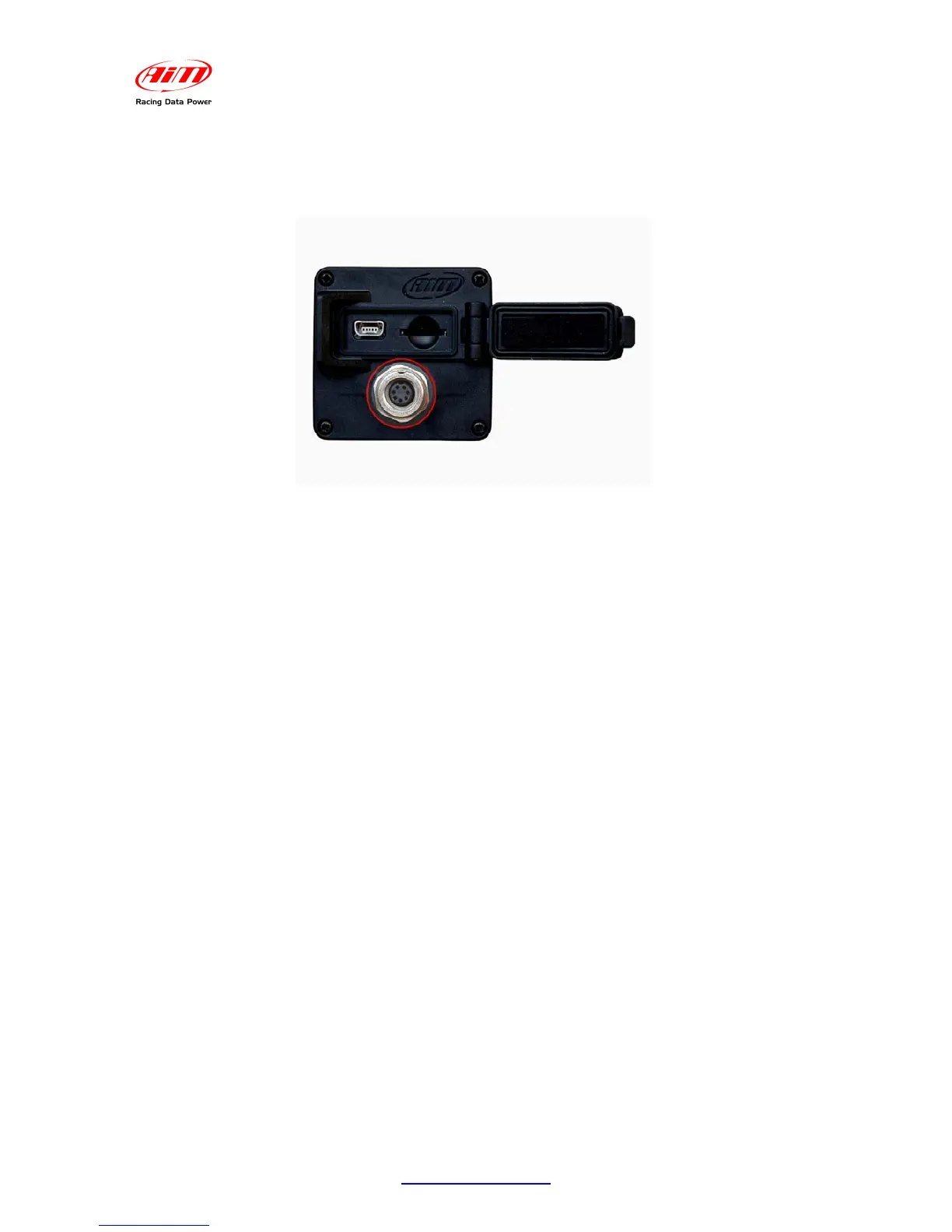
SmartyCam optional tools can be connected to it using the 7 pins connector placed on the
camcorder rear and shown here below.
SmartyCam kit includes a power cable used to charge the battery: in order to connect it to
an external power supply or to an additional external microphone it is necessary to buy
optional cables.
The external power source can be useful to stand alone users to avoid SmartyCam
internal battery consumption. In case of slave use, on the contrary, connection to the
vehicle battery is compulsory: the cable is included in the kit (the optional cable is
necessary only to connect an additional external microphone).
Use of an additional external microphone can be useful, for instance, to the driver that
wants to communicate with its staff.
• Power cable with CAN and microphone: this cable allows SmartyCam to connect to
an external 12V power source, to enable an external microphone, automatically
mixed with the internal stock one, and to connect via CAN to an AIM logger or an
ECU Bridge.
• External microphone: additional microphone automatically mixed to the stock one. It
plugs directly in the 7 pins connector placed on the camcorder rear.


 To Next Page