AirNav RadarBox Manual
12
Copyright 2010 by AirNav Systems
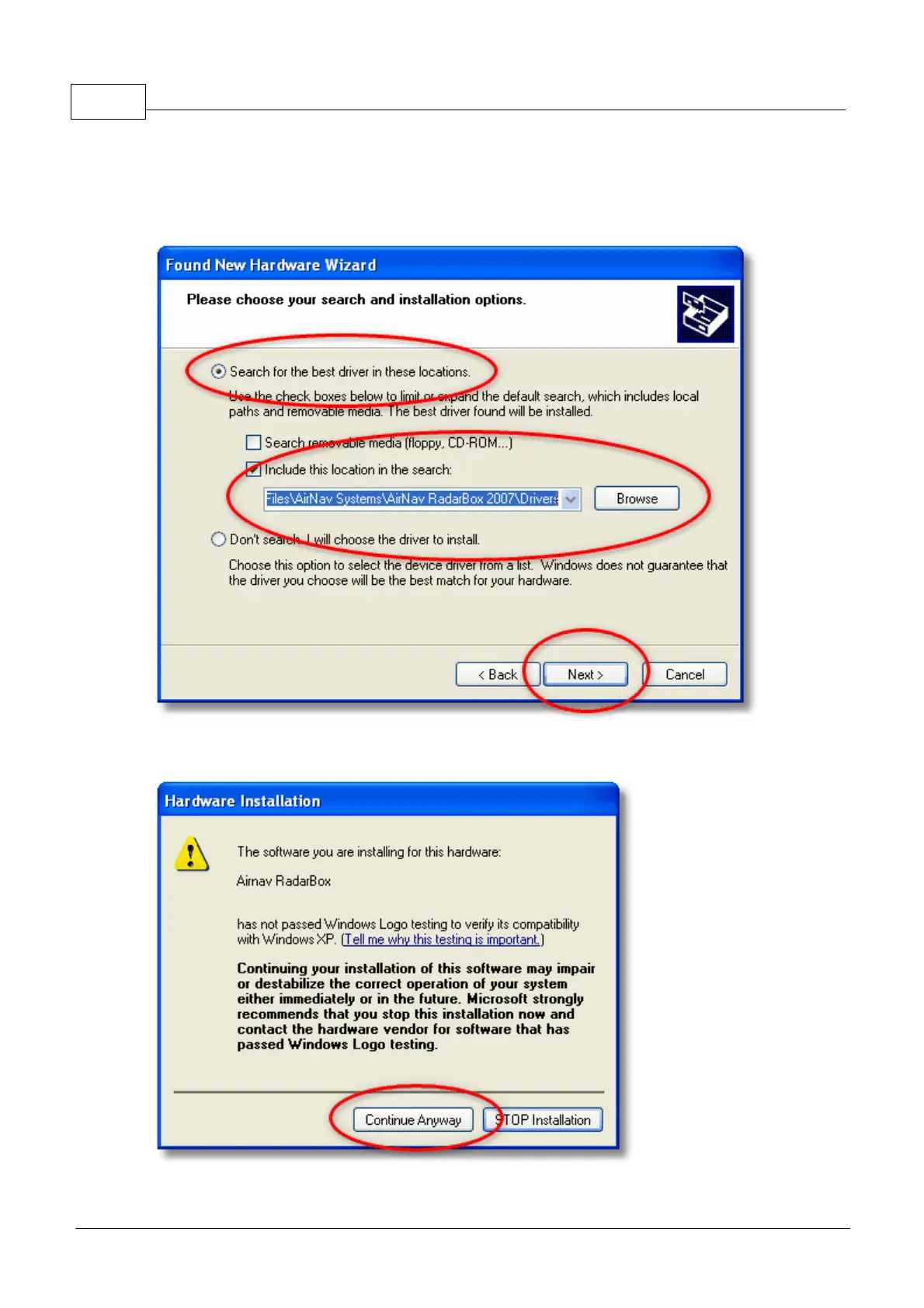
in the search". Browse for the folder that contains RadarBox drivers. It is located on a folder named
"drivers" that is inside the folder where AirNav RadarBox software has been installed.
The standard location of the AirNav drivers is "C:\Program Files\AirNav Systems\AirNav
RadarBox 2009\Drivers". Click "Next".
5. Driver installation will start. If the window below appears click "Continue Anyway".
6. If the window below appears select again the RadarBox driver folder, usually located at:



 To Next Page