AirNav RadarBox Manual
24
Copyright 2010 by AirNav Systems
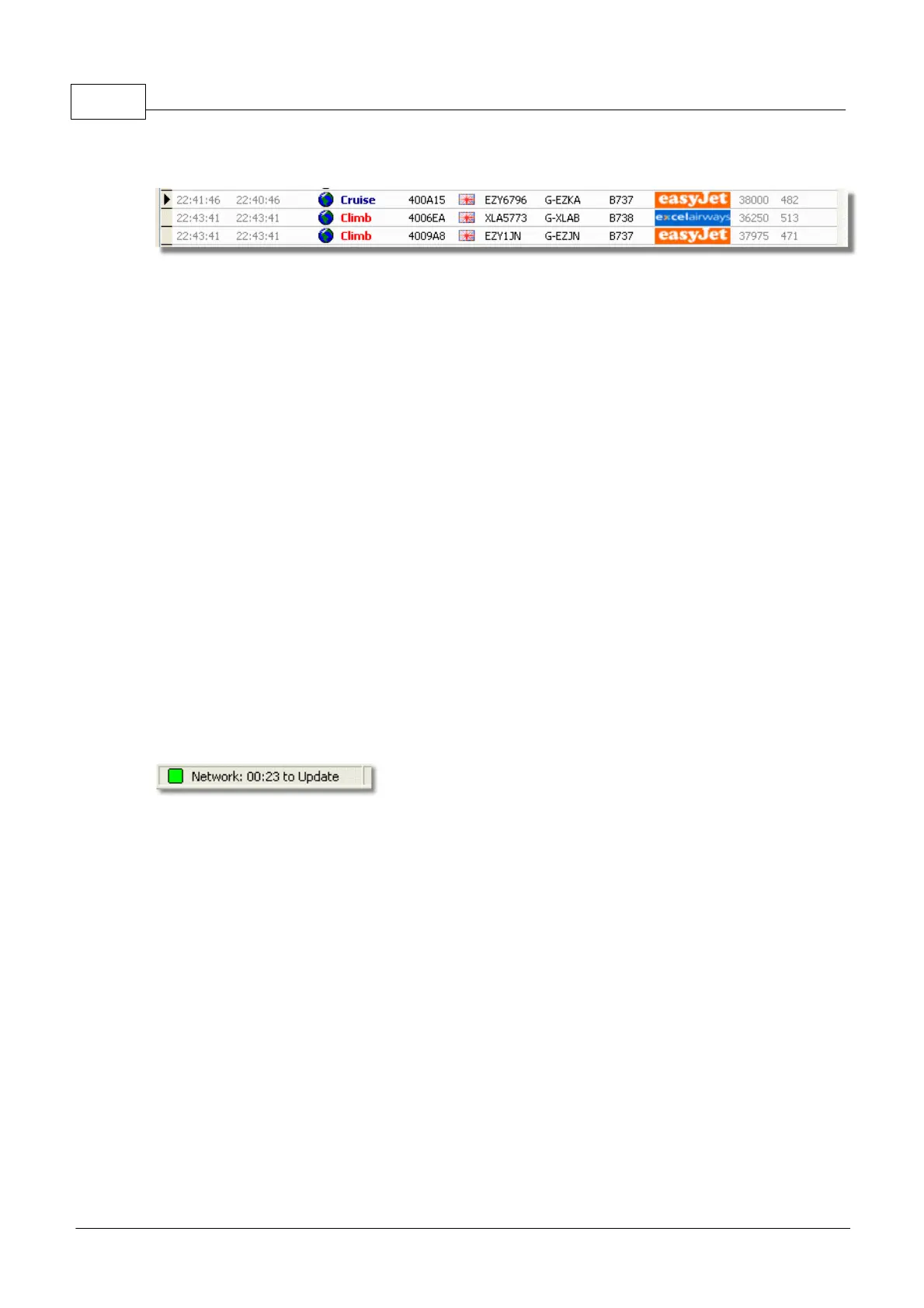
What details will I see for each flight?
For each flight you will see:
· ACARS sign showing if the flight has any ACARS messages (This requires the purchase of optional
software. For more information, go to ACARS Decoder interface)
· Globe sign: when shown position information is available so the flight is being tracked on the maps
· Status: flight status information
· Mode S: the mode S code for this aircraft
· Country flag: the flag of the country where the aircraft is registered
· Flight ID: the flight number/callsign for this flight
· Registration: the tail number of the aircraft
· Aircraft: type of aircraft in ICAO (4 character) code
· Airline logo: the logo of the airline that operates this flight
· Altitude: altitude in feet
· GS: ground speed for the flight in Knots
· Hdg: the heading of the aircraft from 0 to 359 degrees (0=North, 90=East, 180=South, 270=West)
· VRate: vertical rate of climb or descent in feet per minute
· Route: origin and destination airports if the route is recognised by the RadarBox database
Connecting to the Network
To connect to AirNav RadarBox network you need to have your RadarBox hardware receiver
connected to your computer by the USB cable. Run the RadarBox software if it not already open, go
to the Network tab and check the "Get flights from RadarBox Network" check box. Look at the the
bottom of the RadarBox Interface panel to confirm the connection status. Network data is downloaded
every 30 seconds.
Note that you will have to be a registered user of the software and have an active AirNav RadarBox
account to be able to receive network flights.
You can do this from the main menu [RadarBox | Network Account Information]. Access to the
Radarbox Network is free for the first 12 months. After this period you will continue to see live
aircraft detected by your antenna forever for free, but you will not see Network traffic until you
subscribe to the Network.
To subscribe to AirNav RadarBox Network please visit AirNav RadarBox Order page
New users have free access to the Network during the first year. If you choose not to
subscribe to the Network after 12 months, Radarbox will continue to function as before,
but you will not see Network traffic.
3.2 Aircraft Details Autopopulate
Aircraft Details Autopopulate
RadarBox is provided with an extensive database which includes details of a large number of aircraft.



 To Next Page