Using RadarBox
31
Copyright 2010 by AirNav Systems
3.6 Creating Reports
Creating Reports
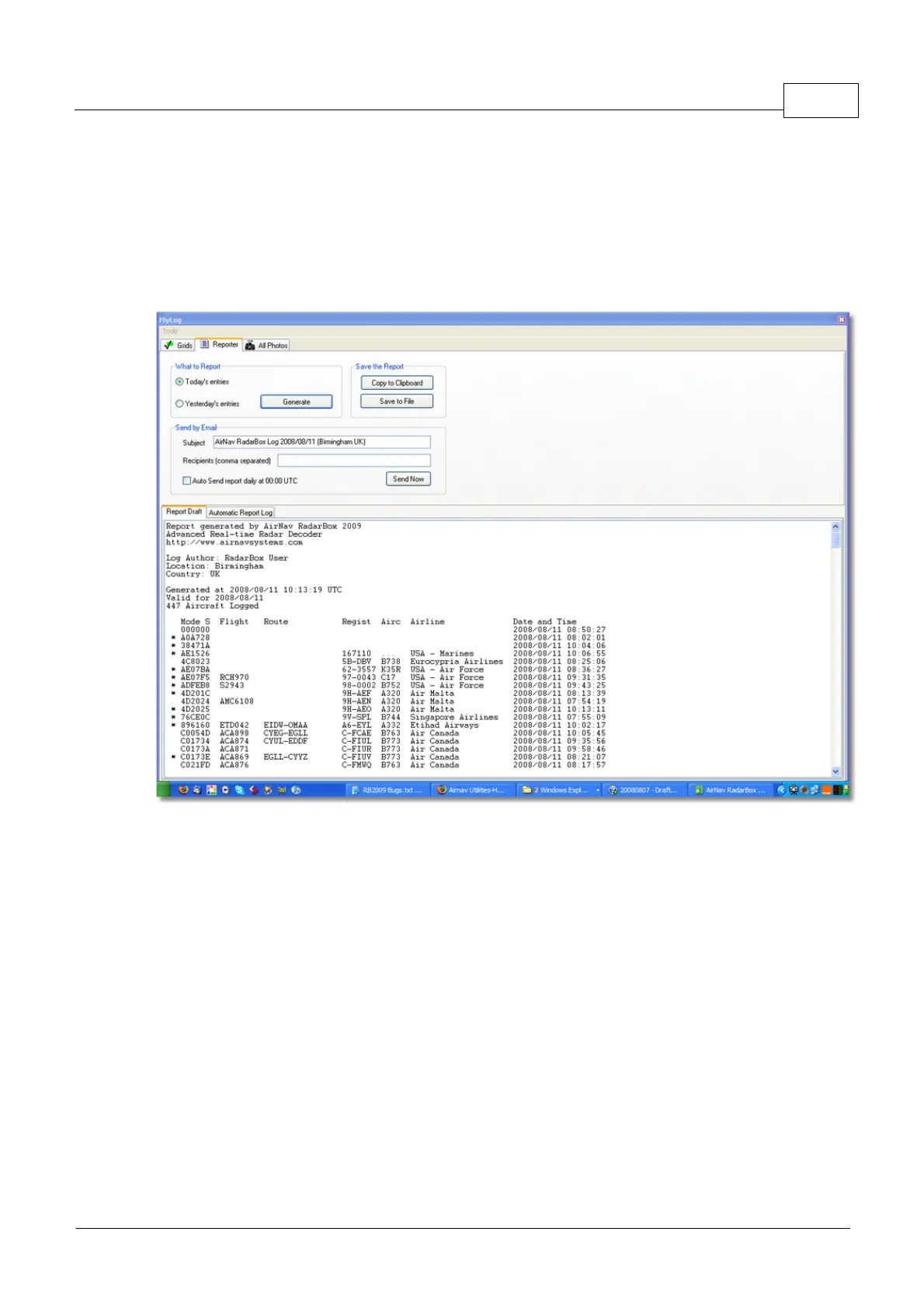
AirNav RadarBox has an embedded report feature. This makes it easier for you send reports of
received flights to your friends or to an internet mailing list. To access this feature use the Reporter
Button, or MyLog > Reporter. Aircraft detected by your RadarBox receiver are listed in date/time
order.
Above: Report creator window
How to send a report
1- Select Data to include in the report
First you need to specify the data range for the report, the choices are today's entries or yesterday's
entries.
2- Generate the Report
Click the generate report button. Once the report is generated you will need to specify what you want
to do with it.
3- What to do with the report
· Copy to clipboard
· Save to file as a .txt file
· Send by email
Example of a generated report:
Report generated by AirNav RadarBox 2009 - 3.0 Beta
Advanced Real-time Radar Decoder
http://www.airnavsystems.com



 To Next Page