Menus, Windows and Toolbars
53
Copyright 2010 by AirNav Systems
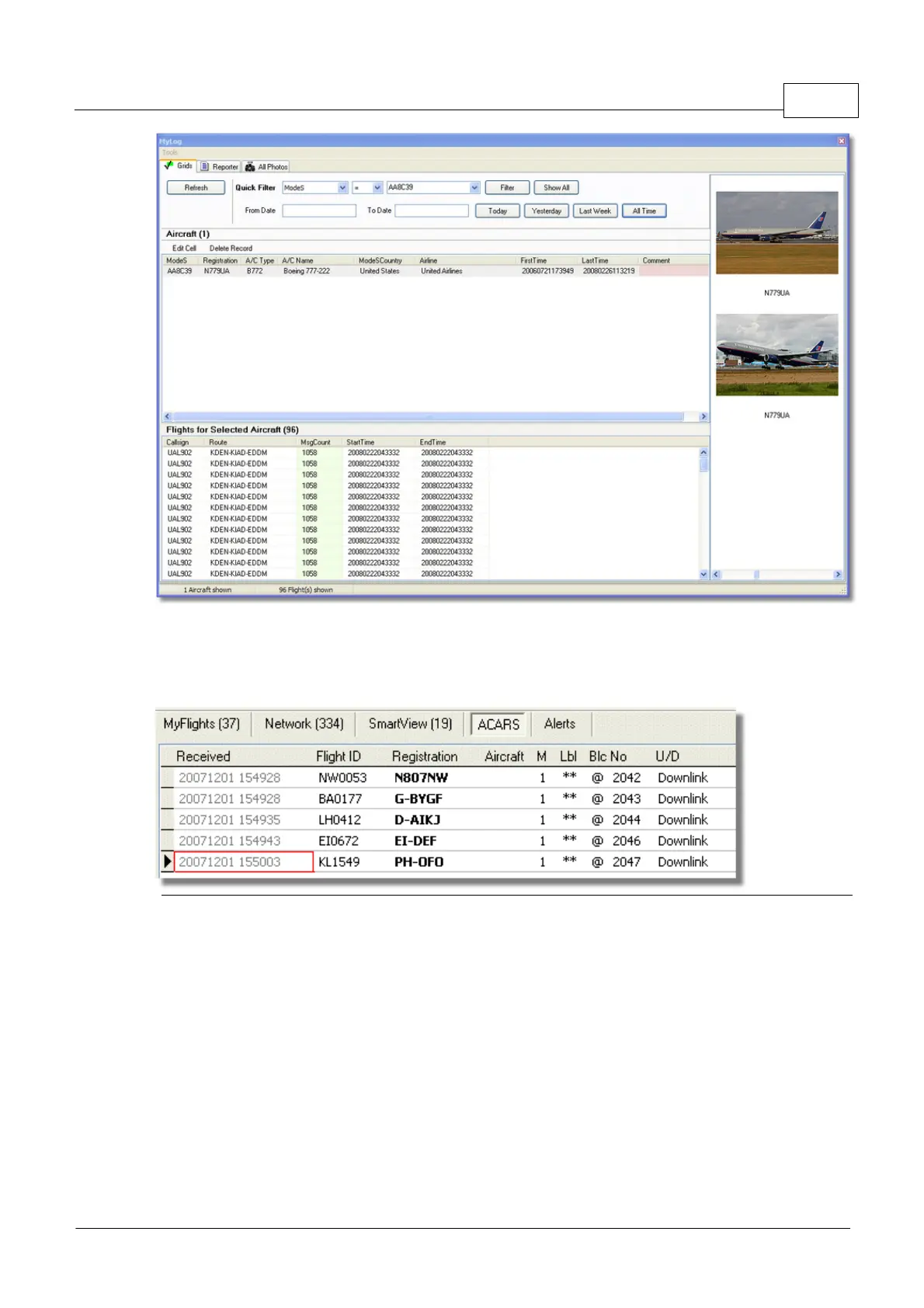
Above: Right click on an aircraft in MyFlights and select Show MyLog Entries to see further details
4.2.2 ACARS
ACARS Tab
AirNav RadarBox is capable of receiving ACARS Data from AirNav ACARS Decoder.
On this tab ACARS Information received using the DDE connection is shown.
Note that on the MyFlight and Network Grids a small ACARS Symbol will appear on a flight if ACARS
information is being received for that flight.
The Grid columns are organized into:
· Received: Date and Time the message was received
· Flight ID: Callsign of the flight
· Registration: Registration (tail-number) of the aircraft
· Aircraft: Aircraft Type
· M: ACARS Mode
· Lbl: Message Label
· Blc: Block ID
· No: Message Number
· U/D: Uplink or Downlink



 To Next Page