AirNav RadarBox Manual
54
Copyright 2010 by AirNav Systems
Note: AirNav ACARS Decoder is available at AirNav Systems homepage and enables you to decode in
real-time ACARS messages
4.2.3 MyLog
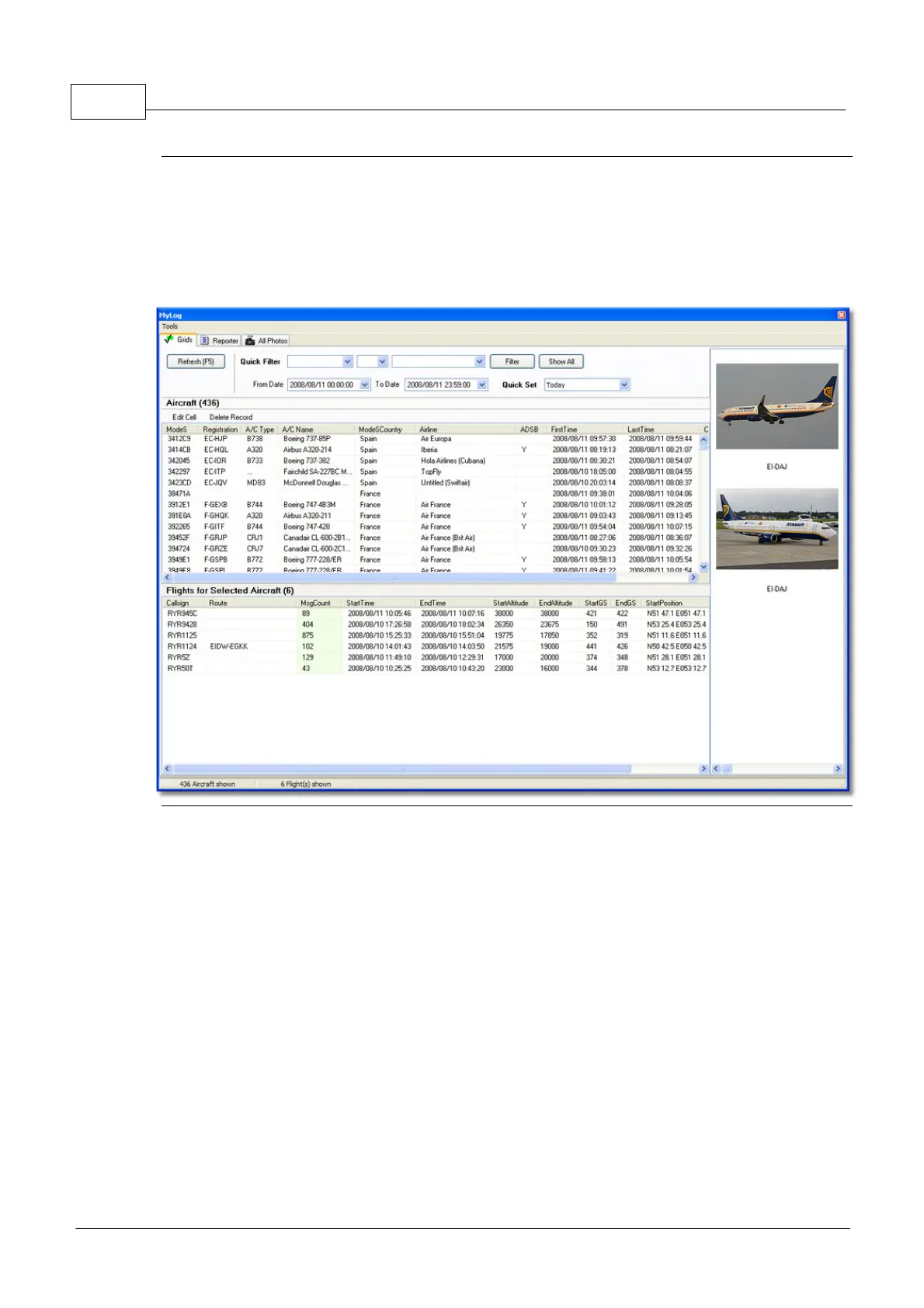
MyLog Tab
MyLog is a unique feature where you can maintain a list of all received aircraft.
In other words it's your received aircraft collection.
At the top you can use any of the quick filters available to easily look at data. The Explore Photo
Folder button opens the folder where aircraft photos are stored in Windows Explorer.
The Aircraft Grid columns show:
· Mode S: Aircraft Type
· Registration: ACARS Mode
· Aircraft Type: ICAO Code
· Aircraft Name: Long format
· Mode S Country: Registered country for that code
· Airline: Airline Name
· ADSB: Shown as "Y" if the aircraft transmitted full ADS-B information including position
· First Time Received: Date and Time the aircraft was received for the first time
· Last Time Received: Date and Time
· Comment: User comment
The Flights Grid Columns shows details for the selected aircraft in the Aircraft Grid:
· Callsign: Callsign recorded for that aircraft



 To Next Page