Menus, Windows and Toolbars
73
Copyright 2010 by AirNav Systems
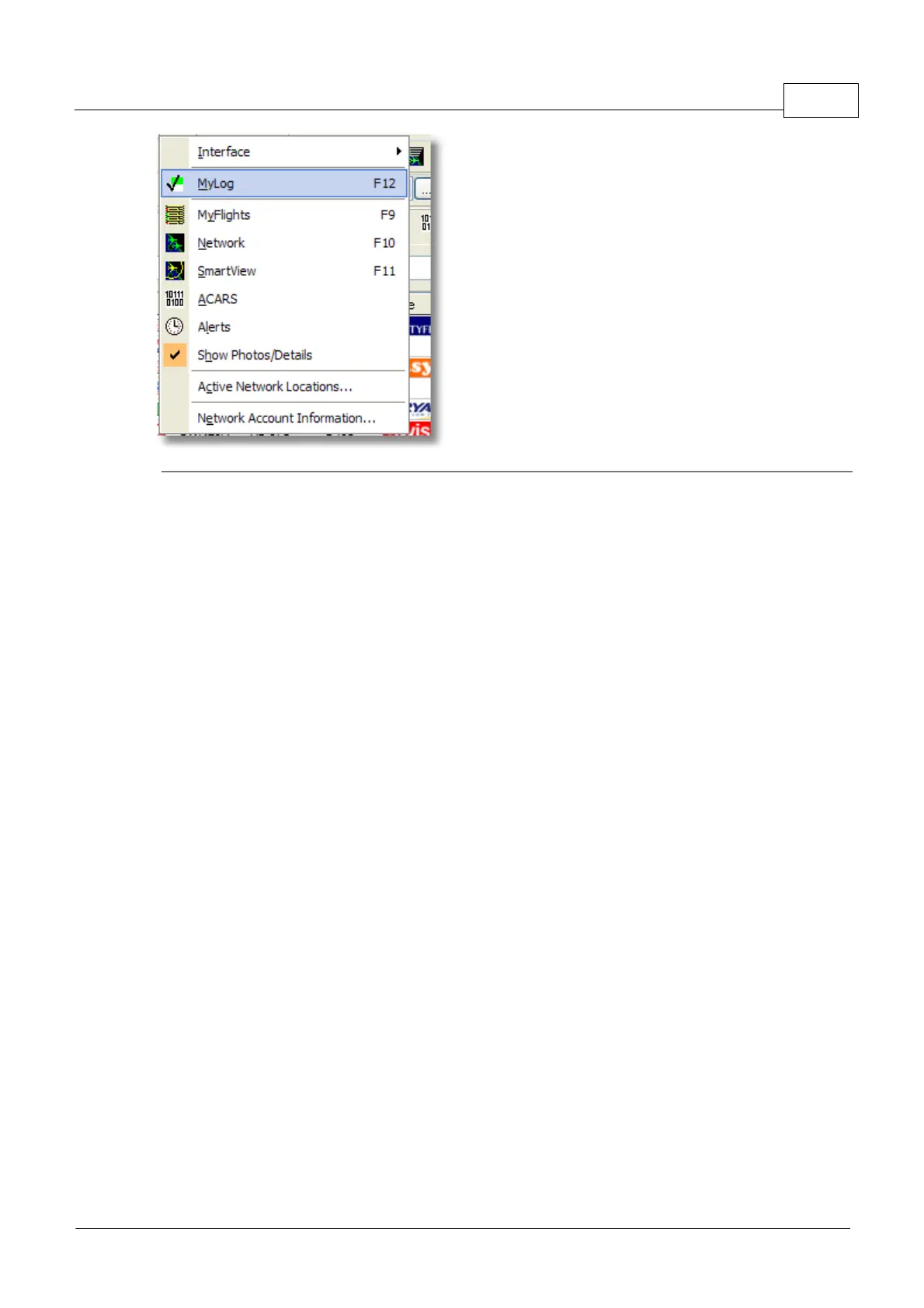
In this menu you can access the most important AirNav RadarBox 2009 features.
Interface:
Choose to whether the RadarBox Interface should be visible and where on the screen it you want it to
be placed.
MyLog:
View the Mylog database to see live aircraft detected
MyFlights:
View the MyFlights tab to see the Live aircraft list
Network:
View the Network tab to see the Network aircraft list
SmartView:
View the SmartView tab to access the Fleet Watch and auto QNH settings
ACARS:
View ACARS information (Requires additional AirNav ACARS Decoder software)
Alerts:
View the Alert tab and set alerts for Live and Network aircraft
Show Photos/Details:
Show or remove the aircraft photos and flight details below the aircraft list
Active Network Locations:
Display a Google Map showing active RadarBox Network locations. Note, positions are based on ISP
information, so may be inaccurate
Network Account Information:
Information on your account usage. An Internet connection is required.
4.3.5 Window
Window Menu



 To Next Page