AirNav RadarBox Manual
56
Copyright 2010 by AirNav Systems
Detailed information on how to setup your custom Alerts can be found at Creating Alerts
4.2.5 Reporter
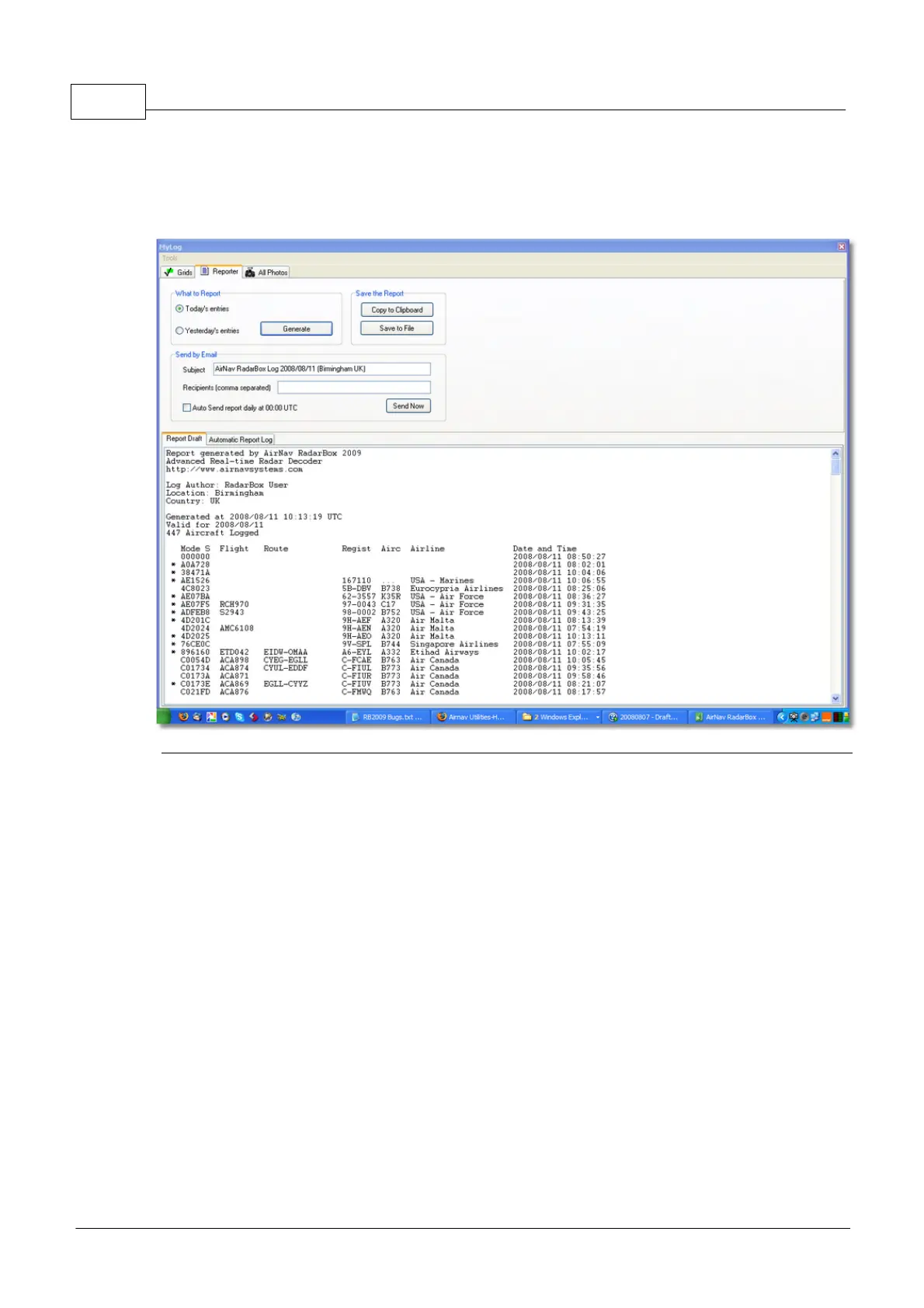
Reporter Tab
Using the Reporter feature you can share with your friends details on which aircraft you are receiving
with AirNav RadarBox.
To properly use this feature you have to generate a report. Do this by selecting which date range you
want (Today's entries or Yesterday's entries) and then click the Generate button. Then you can opt to
save your report (by copying it to the Windows clipboard or by saving it to a file).
A Draft of the generated report is shown on the "Report Draft" tab. You can change this tab by editing
directly inside the software. After entering the subject and recipient email for the report, click the
Send Now button to send it to your friends. There is also the option to automatically send the report
at midnight daily.
You can check which reports have been automatically sent in the "Automatic Report Log" tab.
See Creating Reports for further details.
4.2.6 Database Explorer
Database Explorer



 To Next Page