Using RadarBox
25
Copyright 2010 by AirNav Systems
However, new aircraft are always being registered and these might not be included in the database.
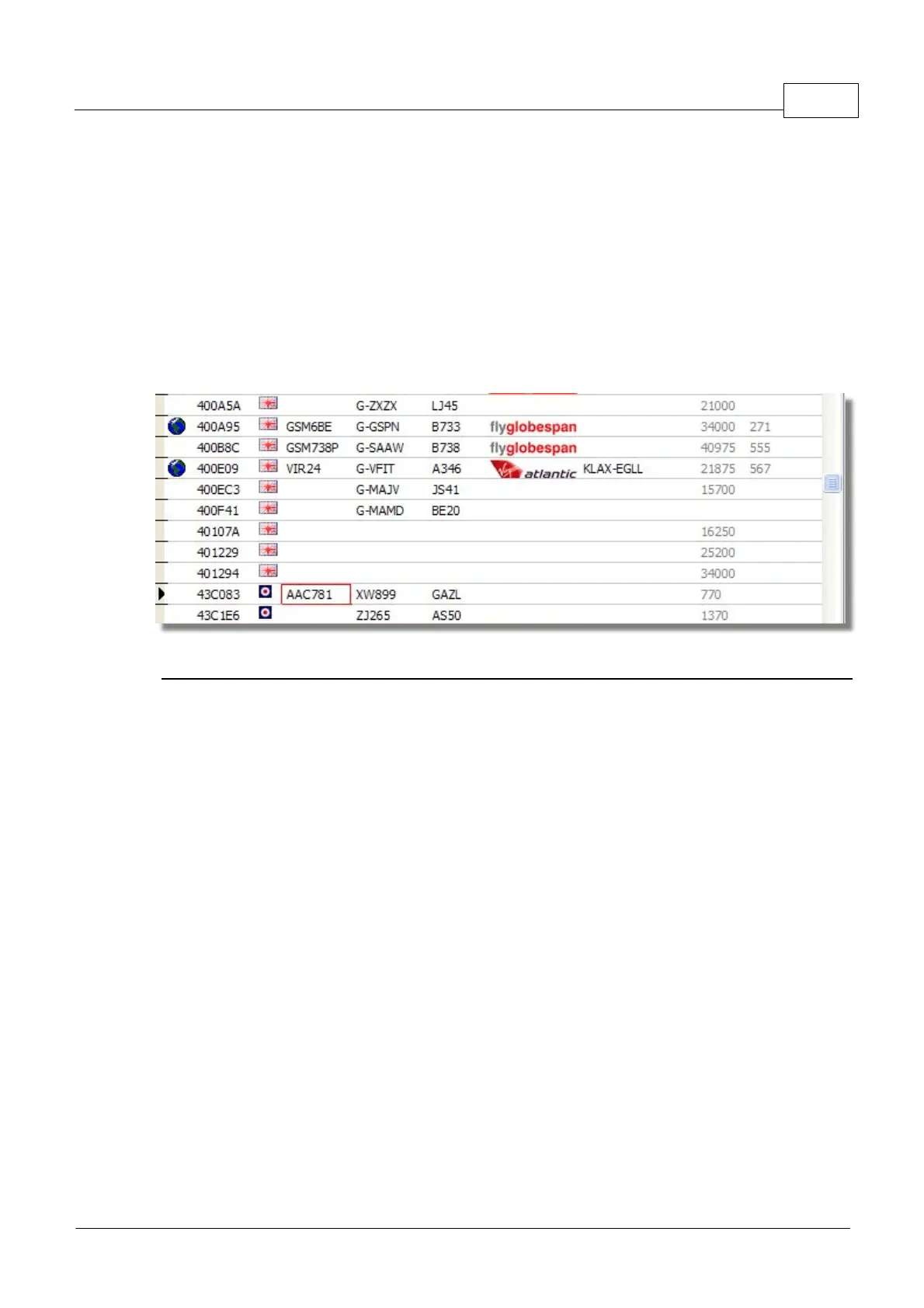
The diagram below shows a mixture of aircraft, some with full registration and type details and some
which have these details missing. The first 6 aircraft in the list and the last 2 have full registration and
type details. Please note that the Flight ID (callsign) is programmed by the crew in the cockpit, so if
this is missing, it is because it has not been entered by the flight crew. If there is no Flight ID, then it
is not possible for to RadarBox to display the Airline logo.
In the list there are 3 aircraft that do not have type or registration showing, but the Mode S codes are
correctly detected by RadarBox as 40107A, 401229 and 401294. When you left-click on one of these
unpopulated aircraft lines, RadarBox will connect to the online database and if a record for this aircraft
exists, the registration and type will be auto-populated. The internal RadarBox database will be
updated at the same time and a photo of the aircraft will be downloaded if set in the Preferences.
Above: Click on the blank aircraft lines to Autopopulate
3.3 Aircraft Route Autopopulate
Aircraft Route Autopopulate
When RadarBox is connected to the Internet and an aircraft callsign (flight ID) is detected that does
not have a record in the main RadarBox database, RadarBox will search the AirNav server for a route
for that callsign. If a route is found, it is written to the RadarBox database along with the date. See
the Database Explorer below with autopopulated route information.



 To Next Page