Using RadarBox
23
Copyright 2010 by AirNav Systems
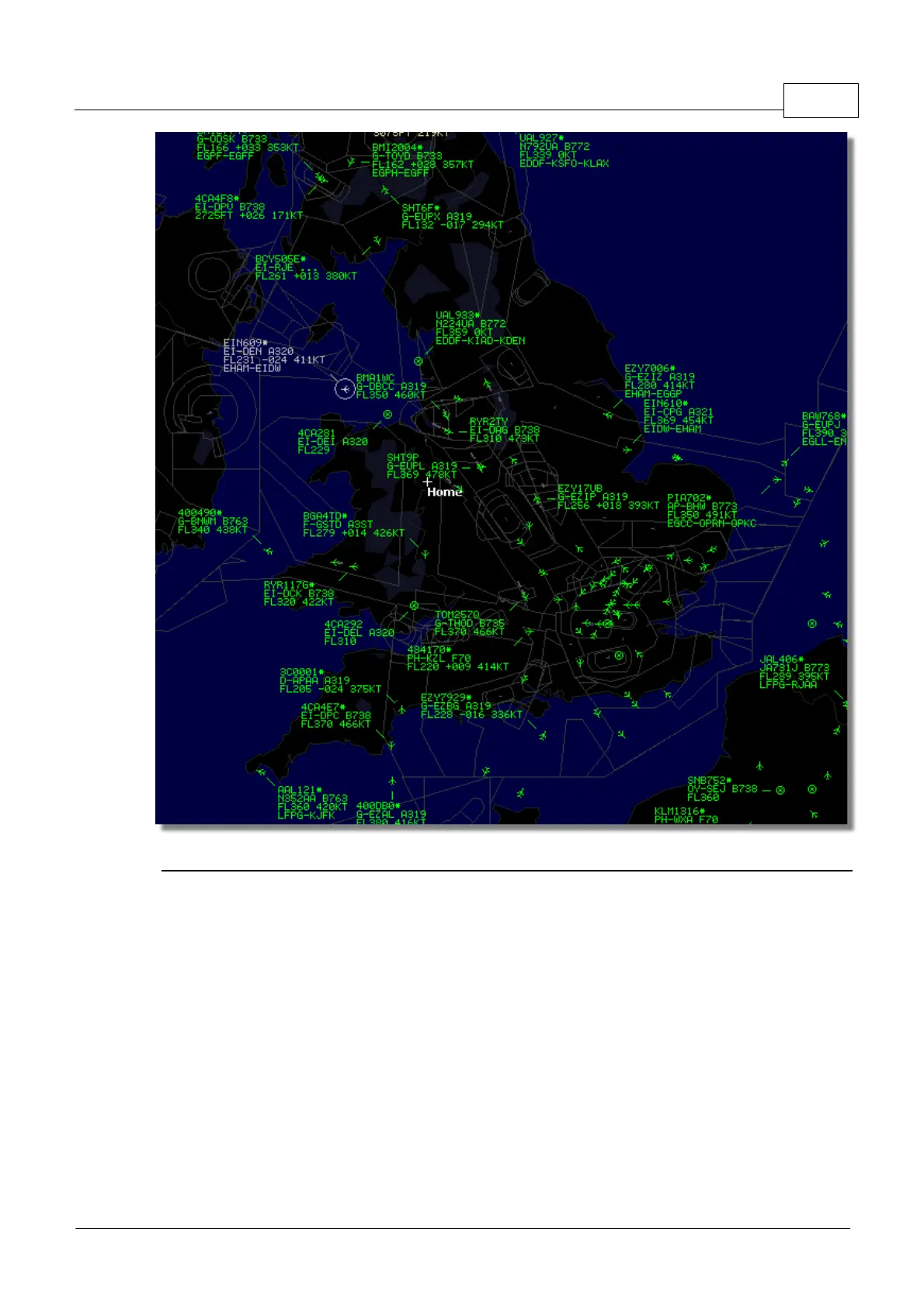
Above: Live Data plus Network Data, spot the difference!
How does the map display work with a mixture of Live aircraft and 5 minute delayed
Network data?
Although it sounds confusing at first, the 5 minute delay of Network data has little effect on the
overall display of aircraft. Aircraft that are close to the RadarBox receiver will be displayed 'live' in
their actual position and without any delay. Depending on your location and antenna position, you can
expect to see live traffic out to 150 miles or more from your location. Beyond your live reception
range, you will see Network traffic from other RadarBox users who are sharing data. Because
Network traffic is further away, the 5 minute position delay is of little significance. Occasionally, you
may see an aircraft "jump" a few miles as it transfers from Network data to Live data and comes into
your area of live reception. When the aircraft leaves your reception area, it will once again become a
Network track. If you receive a flight live on your RadarBox and this flight information is also available
on the data download from the network, then your live flight information will be given priority for
display and the network data will be ignored. Network traffic can be displayed with "*" on the data
tag to differentiate between live and Network traffic.



 To Next Page