AirNav RadarBox Manual
14
Copyright 2010 by AirNav Systems
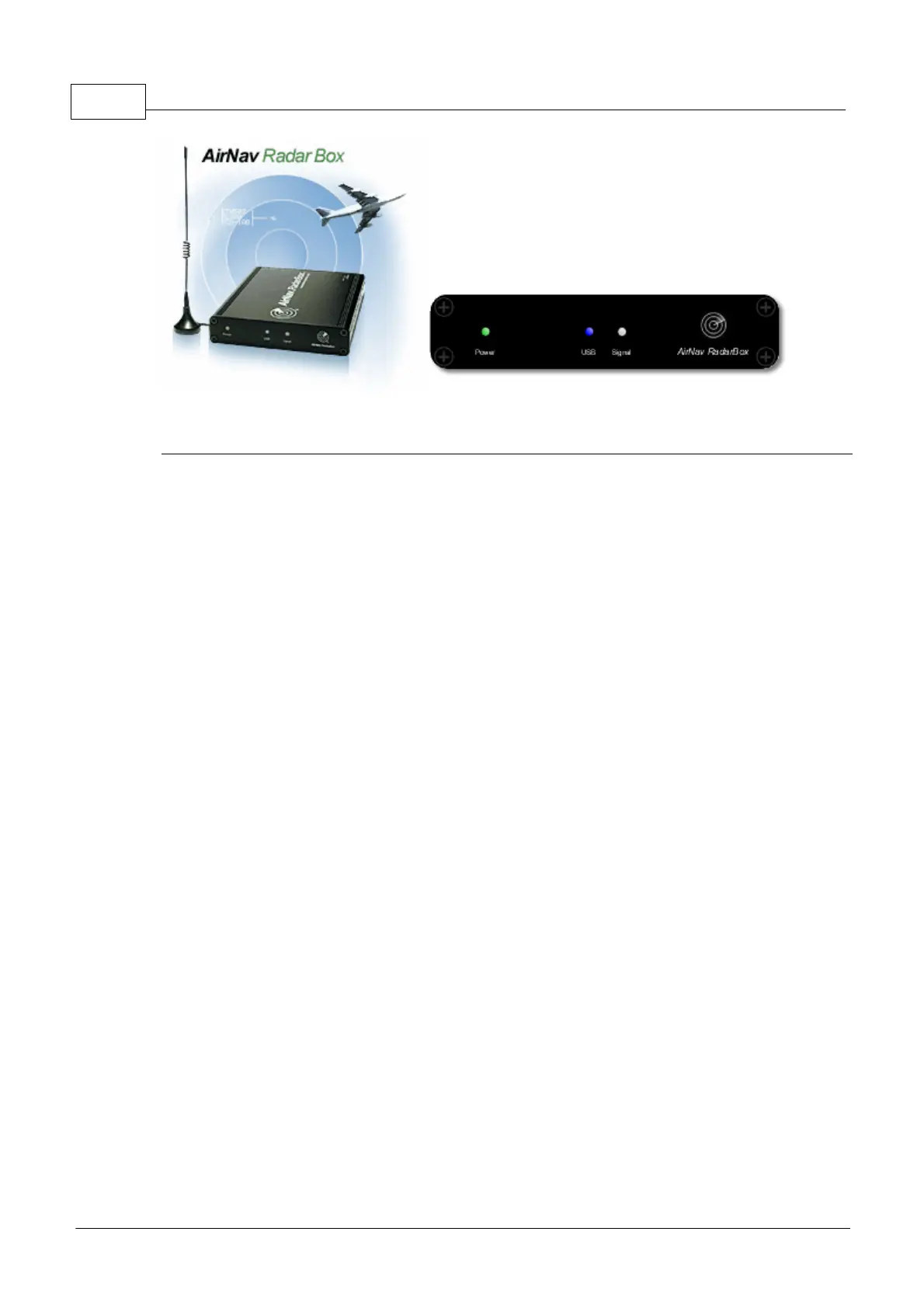
Power USB Signal
RadarBox LED Indicator Lights
The RadarBox receiver (hardware) has 3 LED lights displayed on the front of the case. These LED's
are marked Power (Green), USB (Blue) and Signal (White) and give a clear indication of the status if
the hardware and software.
Green LED:
This is the most important light. When on it means that the receiver is properly powered. The AirNav
RadarBox receiver is powered by your PC via the USB connection and there is no need for external
power or batteries. When the receiver is connected to your PC, this light should always be on. If it is
not on, then it indicates that no power is being received and that there may be a problem with your
USB cable. This can be caused by insufficient power being provided by the USB port - this can be an
issue with some laptops and USB extenders. If using a USB HUB, you must use one with a separate
power supply. See Troubleshooting for more help.
Blue LED (USB):
This LED indicates the status of the USB connection as shown below.
· Blue LED Flashing once per second:
When the blue LED flashes briefly once per second, this indicates that the hardware is being
correctly powered by the computer but there is no valid data connection between the software and
the hardware (receiver). This could indicate the USB driver is not installed correctly or that there is
a problem with your USB cable. This once per second flashing will occur whenever the
hardware receiver is connected to your PC, even if the RadarBox software is not
running. If when the Radarbox software is run, there is no change in the once per second flash,
then this is a good indication that the Radarbox driver is not installed. The RadarBox software
interface will show a Red 'Hardware: Unconnected indication'.
However, this condition can also be seen if the receiver is properly connected to your computer
and AirNav RadarBox software is working but no flights are being received. You can see the effect
of this by disconnecting your antenna. If you would normally expect to see traffic, but there is none
visible and the Blue LED is flashing once per second, check that your antenna is connected.
For more information on how to properly install the drivers please go to the Installation section and
the Troubleshooting section.
· Blue LED flashing rapidly (or permanently on)
This indicates that the receiver is correctly connected to your PC via the USB cable and that the USB
driver is correctly installed. The Radarbox Software interface with show a Green 'Hardware:
Connected' indication. In a busy traffic environment, the Blue LED flashes so fast, it appears to be



 To Next Page