Using RadarBox
27
Copyright 2010 by AirNav Systems
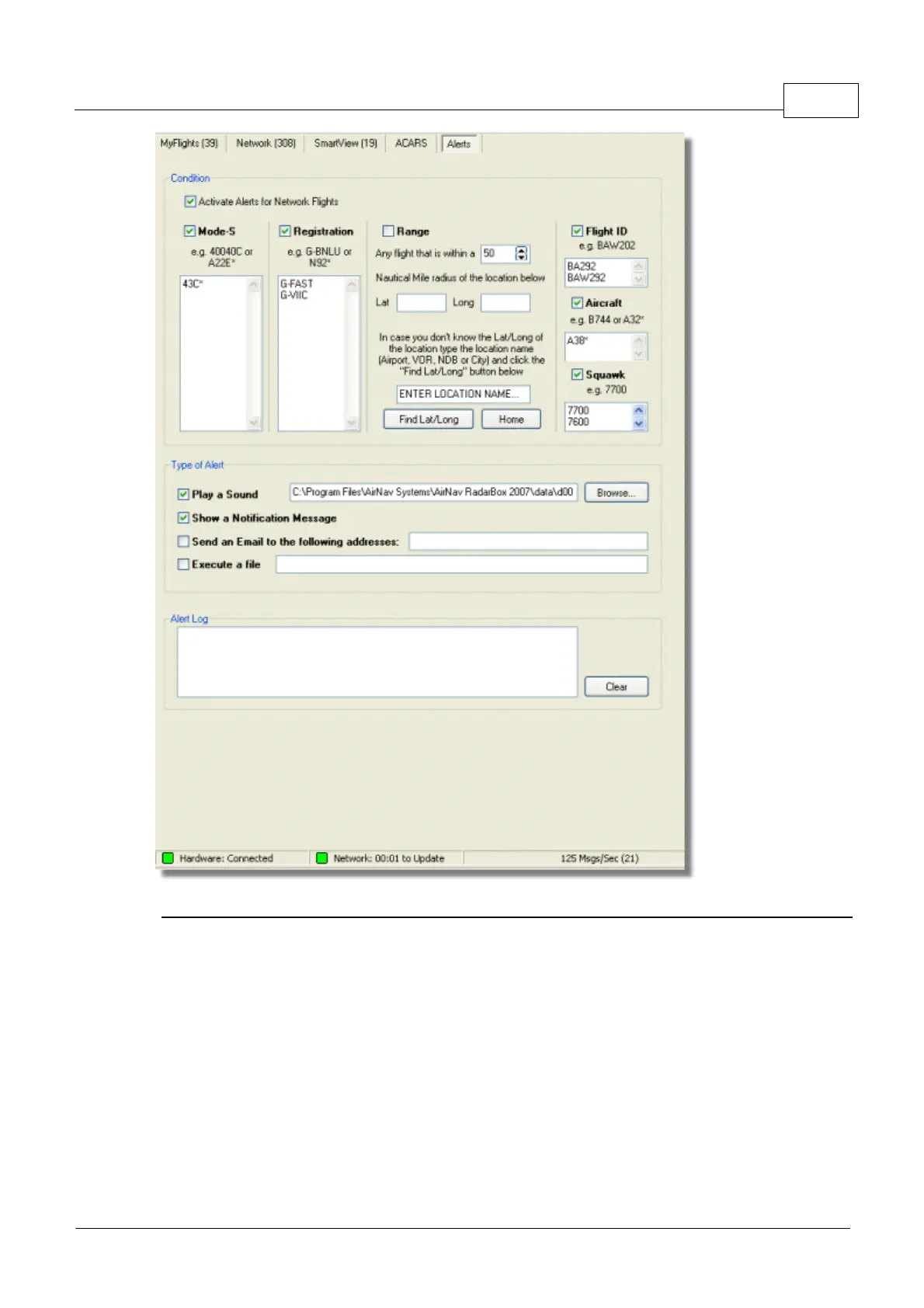
Above: The Alerts setup window
How does it work?
The alert feature is divided in two parts:
· Conditions that will trigger an alert
· Type of Alert
There are five types of conditions to trigger an alert:
· Mode-S: when an aircraft with a specific mode-s has been received an alert is triggered
· Registration: when a specific registration is received
· Range: when a flight is less that a defined number of miles from a specified location
· Flight ID: to trigger an alert when a defined flight number is received
· Aircraft: when an aircraft type appears on the system
· Mode 3A "squawk" code



 To Next Page