AirNav RadarBox Manual
60
Copyright 2010 by AirNav Systems
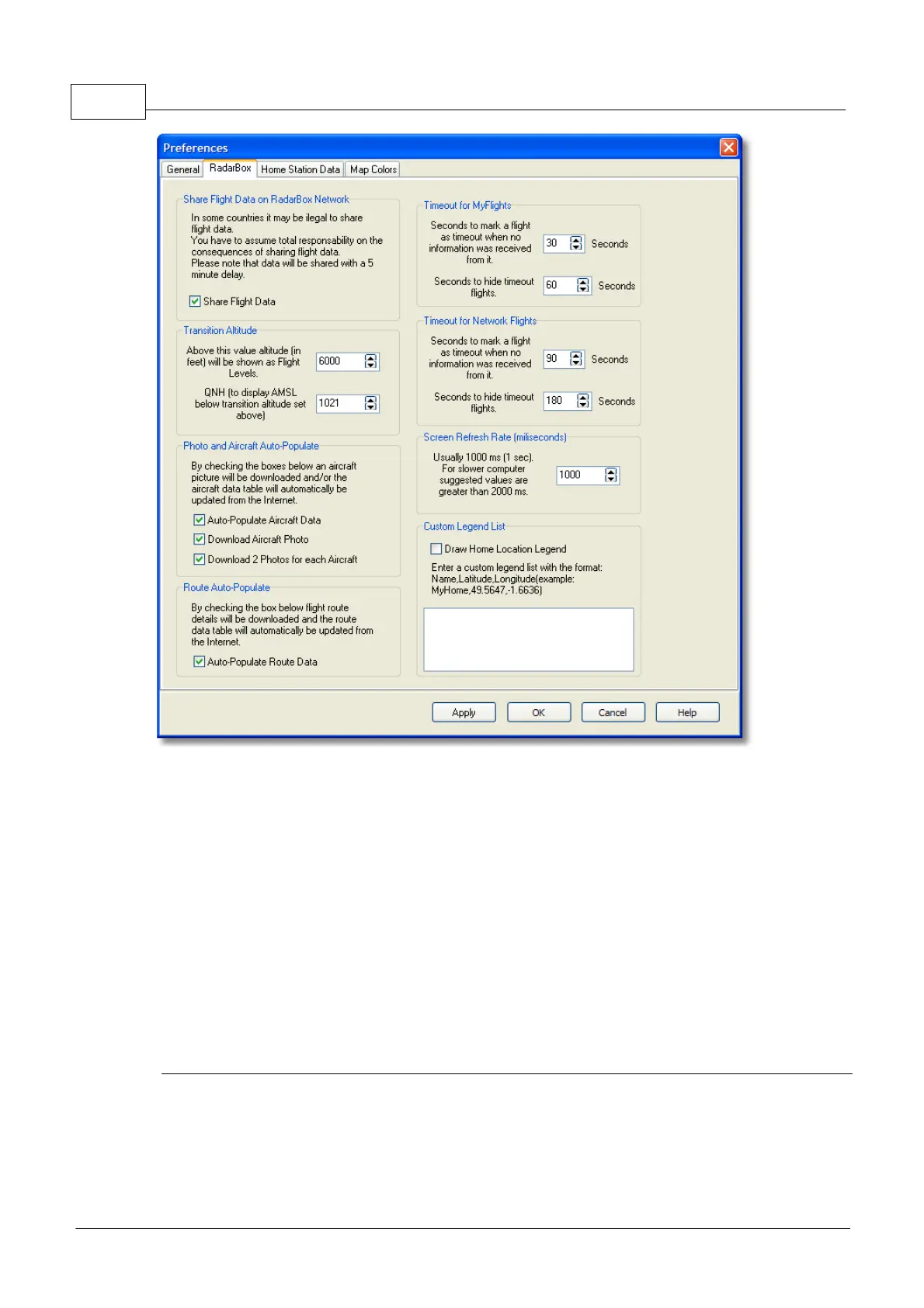
· Share Flight data on RadarBox Network: check if you want other users to see flights you
are receiving
· Transition Altitude and QNH: Set this so above this altitude Flight Levels are shown (instead
of 9000ft FL90 is shown)
· Photo Options: several options so you customize the way photos are downloaded from the
internet
· Route Auto-Populate: aircraft routes will be auto-populated from the Internet database
· Timeout for MyFlight: set how long aircraft will be displayed after the signal is lost. Timeout
flights will be shown in a different color
· Timeout for Network Flights: set how long Network flights will be displayed after contact is
lost
· Screen Refresh Rate: Map screen update rate, increase time to decrease loading on the PC
· Custom Legend List: choose to show or hide your home location marker and to display
custom legends
Note: See Timeout Settings in the Advanced Users section for further details on settings.
· Home Station Data



 To Next Page