AirNav RadarBox Manual
84
Copyright 2010 by AirNav Systems
2- Selected/relevant messages are added to a queue with a an attached time stamp. Not all messages
are added because many of them them are irrelevant (imagine you have a flight being tracked with all
the information available: aircraft type, lat/long, altitude - if a message containing only the Mode-s
hex code of the aircraft is received it is not added to the queue as it adds no info to what the software
already has all the information regarding that flight). If for example a change in altitude or V/S is
received the message will, of course, be added to the queue.
3- There is a timer permanently checking the queue for messages older than 4 minutes 59 seconds. If
there are messages in this condition, they are deleted from the queue and added to the output port.
XML is used for easy compatibility with all possible programs (XML is the world reference in data
exchange).
The message output Format is as below:
<MODESMESSAGE>
<DATETIME>20070622141943</DATETIME>
<MODES>400F2B</MODES>
<CALLSIGN>BAW134</CALLSIGN>
<ALTITUDE>120300</ALTITUDE>
<GROUNDSPEED>451</GROUNDSPEED>
<TRACK>234</TRACK>
<VRATE>0</VRATE>
<AIRSPEED></AIRSPEED>
<LATITUDE>-14.1102</LATITUDE>
<LONGITUDE>-31.5789</LONGITUDE>
</MODESMESSAGE>
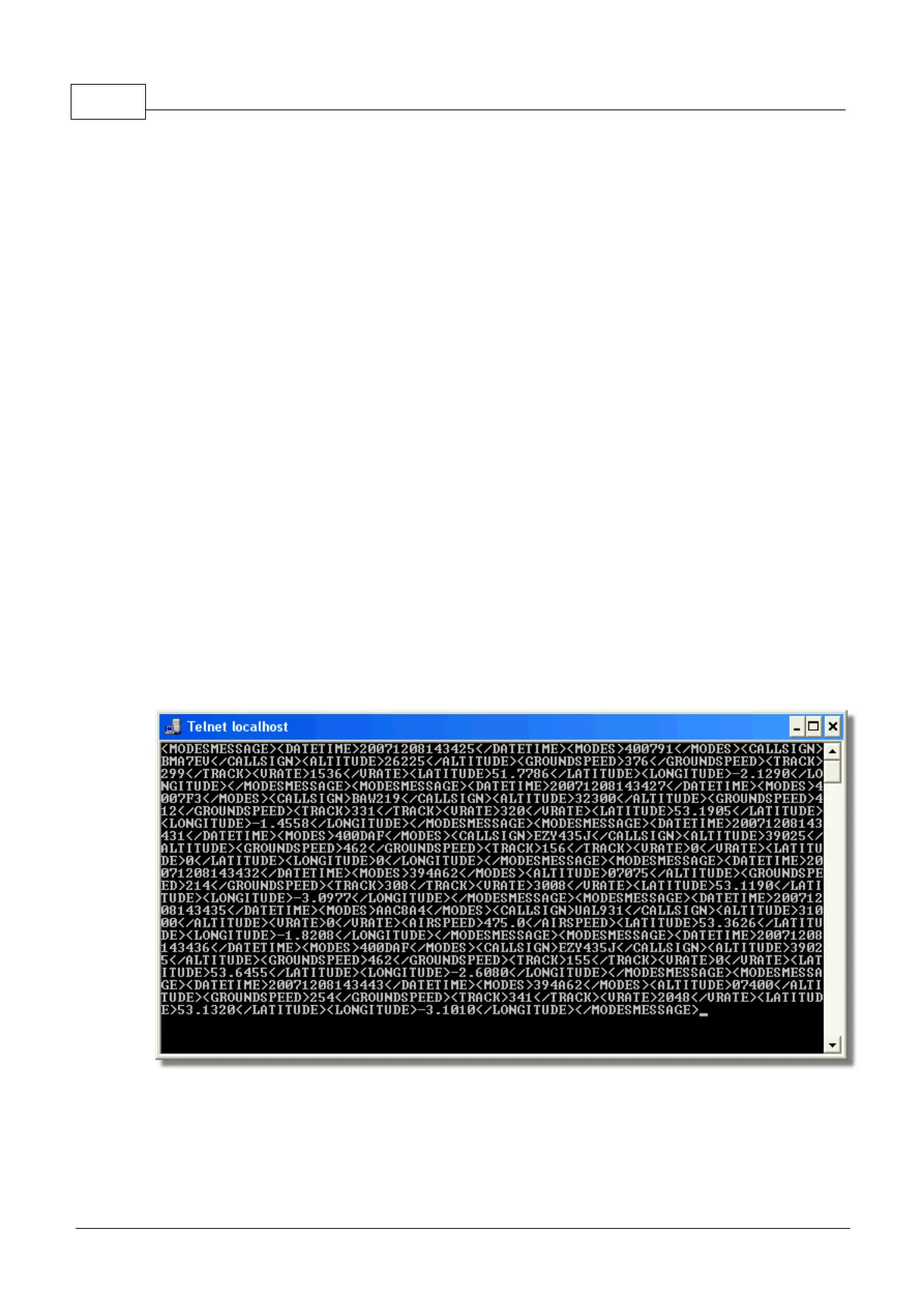
To see the raw data output, Run Telnet, then type "open localhost 7879". Data sharing output in add-
on compatible format is available on Port 30003
Above: Raw data output from Port 7879 as seen in the Telnet DOS window.



 To Next Page