PM266A PRO/ PM266A
10
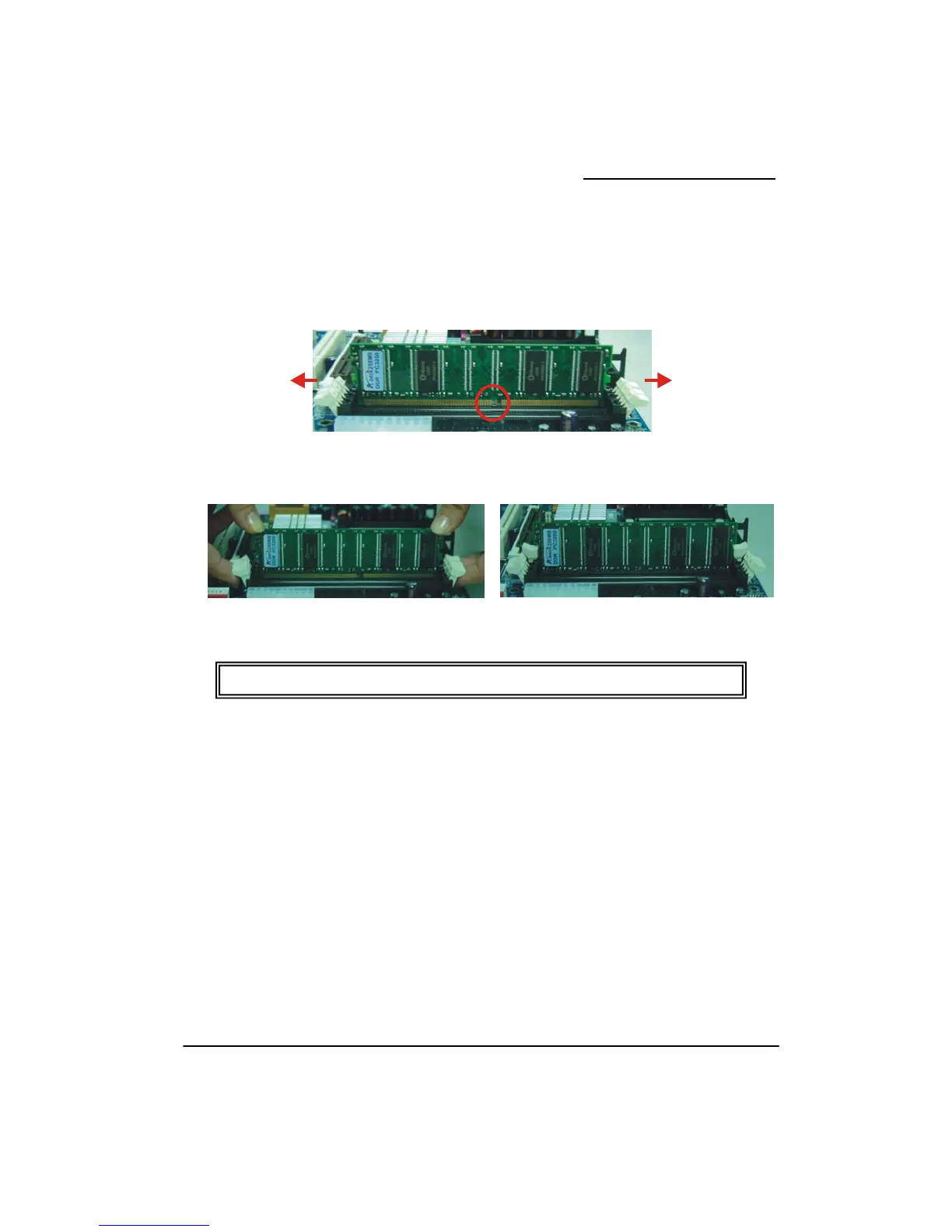
RAM Module Installation:
the white plastic tabs on each side of the slot away from the slot.
the notch on the button of the RAM module with the corresponding pattern in the DIMM
that the module is inserted properly.
oth thumbs until the module
eat steps
1. Pull
2. Match
slot. This ensures
3. Lower the RAM module into the DIMM Slot and press firmly using b
snaps into place.
4. Rep 1-3 for the remaining RAM modules.
* The pictures above are for reference only and may vary slightly for your mainboard.



 To Next Page