PM266A PRO/ PM266A
13
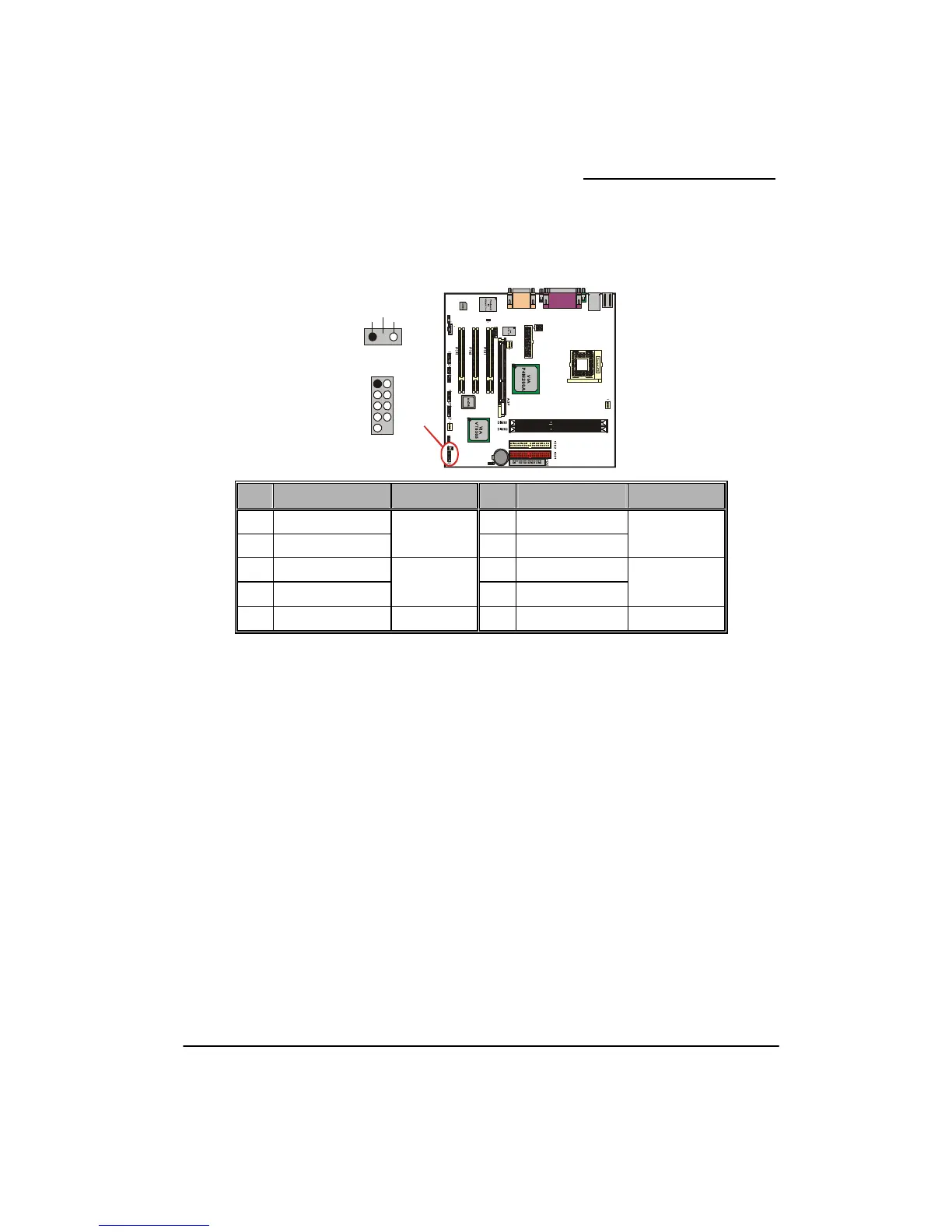
Front Panel Indicator: SW/LED、PWRLED
he front panel of your computer.
HD LED (Hard Dr
This connector can be at er case. The LED will
flicker during disk activi ives directly attached to the
system board.
RST (Reset Butt
This connector can be h is normally left open.
When closed it will elf Test).
PWR-LED (2-pin
The mainboard provide LED cable on the front
panel of a computer case. You can attach it to the 2-pin power LED connector. The LED will
illumi
PWR (P on
This connector to ow sw ust wer Button
pin to ground fo s to si e pow up or off e required is
due to o m d ond before the
power supply
PWRLED (3 LED Connector)
The mainboard provides two power LED connect there is in power LE le on the front
panel of a computer case. You can attach it to the 3-pin power LED connector.
These headers are used to attach to indicators on t
ive LED Connector)
tached to an LED on the front panel of a comput
ty. This disk activity only applies to those IDE dr
on)
attached to a momentary SPST switch. This switc
cause the mainboard to reset and run the POST (Power On S
Power LED Connector)
s two power LED connector.If there is a 2-pin power
nate while the computer is powered on.
ON ower Butt
can be attached
)
a front panel p er itch. The switch m pull the Po
r at least 50 m gnal th er s ply to switch on (the tim
internal debounce circuitry n the syste boar ). At least two sec s must pass
will recognize another on/off
-Pin Power
signal.
or. If a 3-p D cab
Pin
Assignment
Function
Pin
Assignment
Function
1
HD LED (+) Hard Drive
2
Power LED (+) POWER
3
HD LED (-) LED
4
Power LED (-) LED
5
Reset Control (-)
Reset
6
Power Button(+) Power-on
7
Reset Control(+)
Button
8
Power Button(-) Button
9
NC NC
10
NC NC
1
1
(+)
(-)
(-)
(+)
3
5
7
9
2
4
6
8
1
(+)
(+)
(-)
(-)
0
NC
-+
PWRLE
SWLE
D
D



 To Next Page