PM266A PRO/ PM266A
12
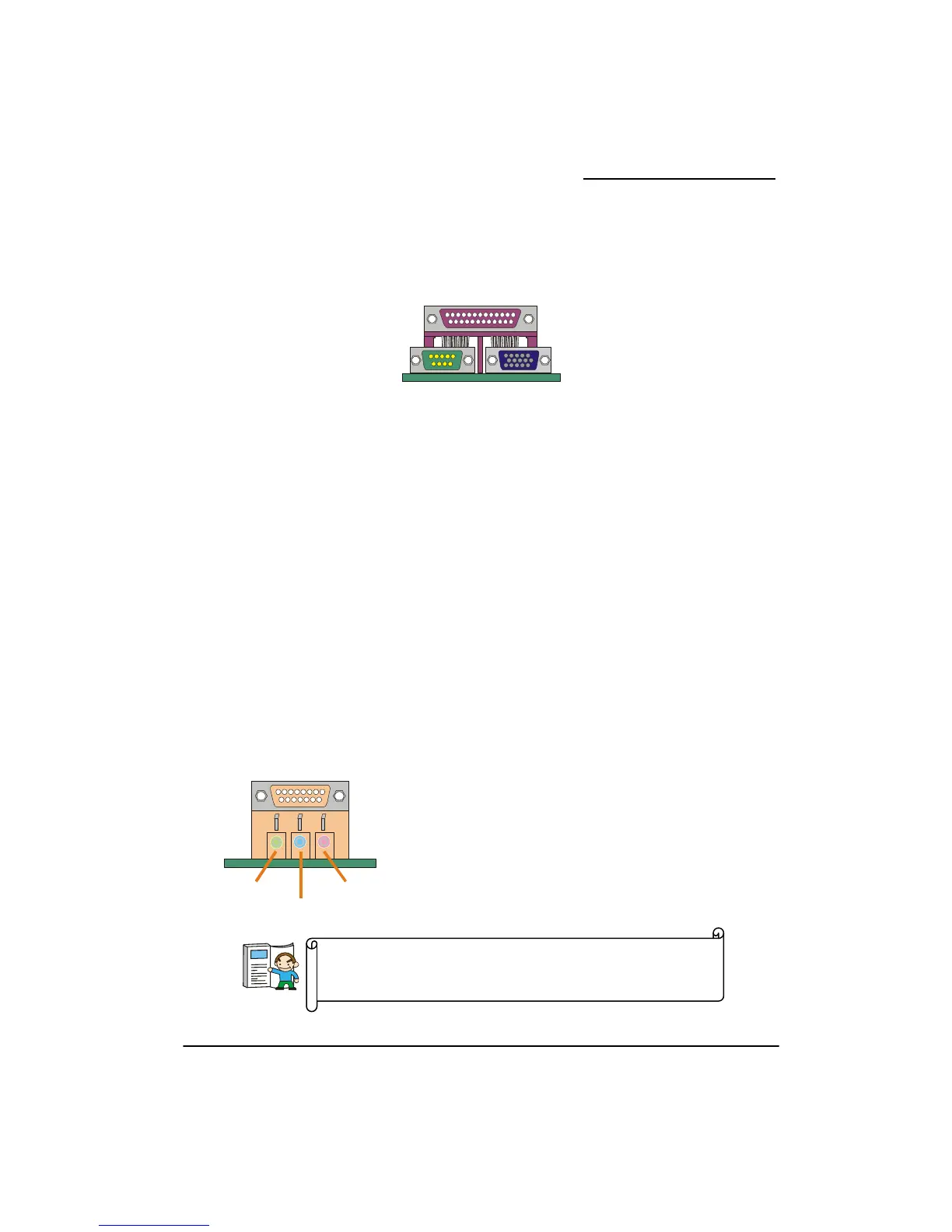
Serial and Parallel Interface Ports
he mainboard comes equipped with o e back
anel. These interface ports will be exp d below.
your system has i n e arallel
rinters and other devices using a par t
erface: CO
ed to as an RS-232 port or an asynchronous
er peripheral devices can be connected to a serial port.
built in video facilities. Your monitor attaches directly to the VGA
nnector on this mainboard.
ame Port Connector: SOUND
his connector allows you to connect a joystick or game pad for playing computer games. This port
.
s used to connect to speakers or headphones. If
the Super 5.1 driver is installed the Speaker Out becomes the
eaker.
ected to an external CD player, Tape player
3. Mic In is used to connect to a microphone. If the Super 5.1
e Mic In becomes the Subwoofer/ Center out.
T one serial port , one VGA p rt and one parallel port on th
p laine
Parallel Interface Port: PRT
The parallel port on
p
a 25-p
allel in
n, DB25 connector a
erface.
d is us d to interface with p
The Serial Int
The serial interface port is sometimes referr
communication port. Mice, modems and oth
M1
Video Graphics Array Conn.: VGA
T
co
he PM266A PRO/ PM266A has
G
T
can also be used to connect to MIDI devices
Audio Port Connectors
1. Speaker Out i
Front Sp
2. Line In can be conn
or other audio devices for audio input. If the Super 5.1 driver is
installed Line In becomes the Rear Speaker.
driver is installed th
Print Po
M1
rt
CO VGA
This mainboard supports Super 5.1 Channel Audio effects which turns
your standard Speaker Out, Lin In, Mic In audio connectors into a 6
channel audio system. See Appendix I for more information.
Speaker
Out
Mic In
Line In
Game Port



 To Next Page