PM266A PRO/ PM266A
17
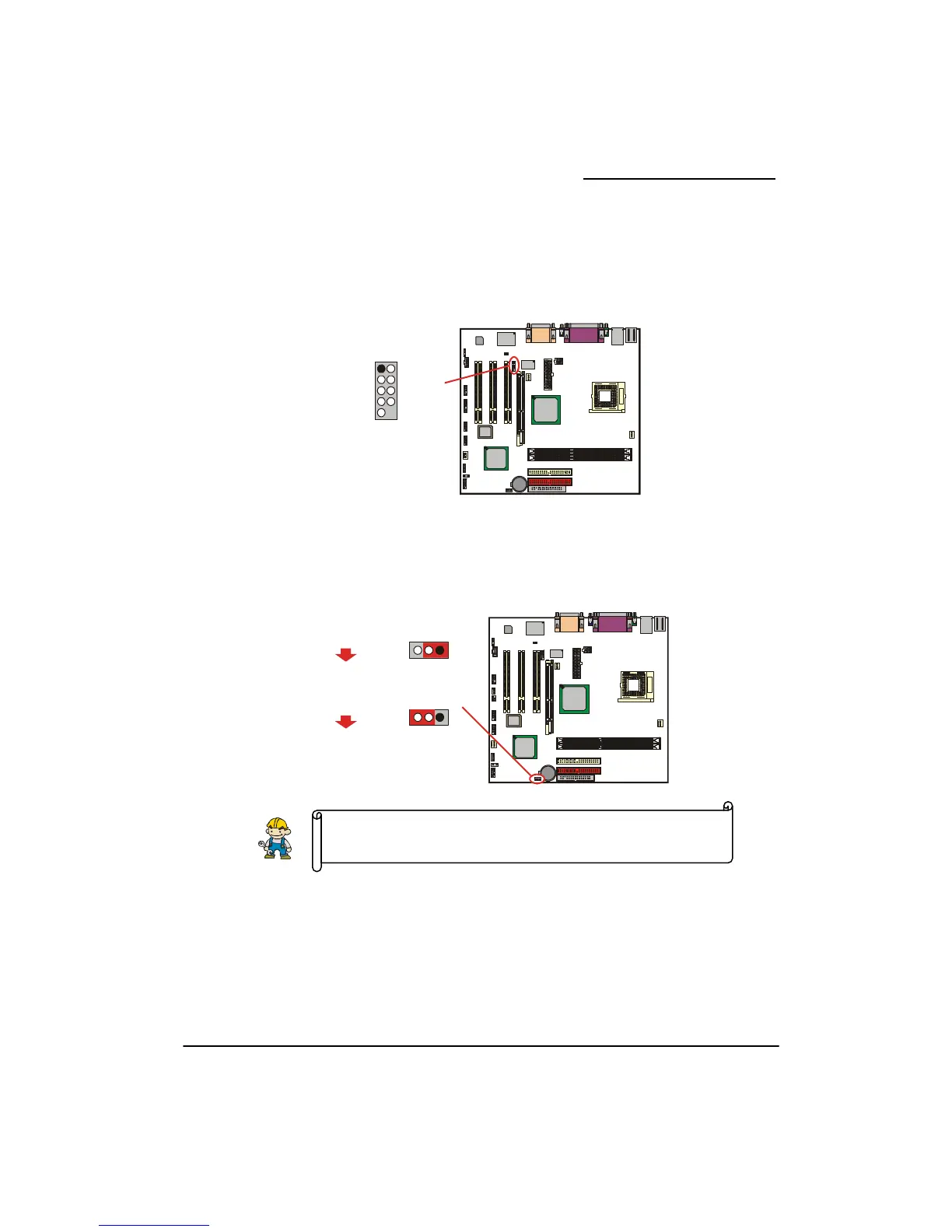
Serial Port Header: COM2
lear CMOS Jumper: JP1
he “Clear CMOS” jumper is used when you cannot boot your system due to some CMOS
nfiguration problem such as a forgotten password. This jumper allows you to reset the CMOS
1. Turn off your system and disconnect the AC power cable.
2. Set JP1 to OFF (2-3 Closed).
3. Wait several seconds.
4. Set JP1 to ON (1-2 closed).
5. Connect the AC power cable and turn on your system.
6. Reset your desired password.
This mainboard supports a front serial port header. To use this header, you can install a COM port
bracket (optional) with a COM port wire extending to this header. You can then attach your serial
device to the serial port on the bracket.
C
T
co
configurations, and then reconfigure.
The following procedures are for resetting the BIOS password. It is
important to follow these instructions closely.
I
P4M266
Winb
IO
W83697H
ond
F
Socket478
DIM M2
IDE2 IDE1
FDC
GP
PCI1
PCI2
PCI3
DIM M1
VIA
VT8365
VI
VT6103
1
2
2
1
1
1
1
2
BIOS
1
1
11
2
9
10
1
1
999
210 10 10
1
ecCod
1
1
1
1
9
2
10
COM2
DCD- SIN-
DTR-
DSR-
CTS-
NC
SOUT
Ground
RTS-
RINGW
1
2
I
P4M266
Winbond
IO
W83697HF
Socket478
DIM M2
IDE2 IDE1
FDC
AGP
DIM M1
VIA
VT8365
PCI1
PCI2
PCI3
VI
VT6103
1
1
22
1
1
1
2
BIOS
1
1
1
2
1
1
2
9
10
1
1
9
21
9
9
0
10
10
1
Codec
1
1
JP1
123
3
Pin1-2 short
Pin2-3 short
Normal (default)
JP1
12
Clear CMOS data
(Short means to cover two pins on
a jumper using a jumper cap.)
1



 To Next Page