PM266A PRO/ PM266A
47
PM266A PRO/ PM266A
47
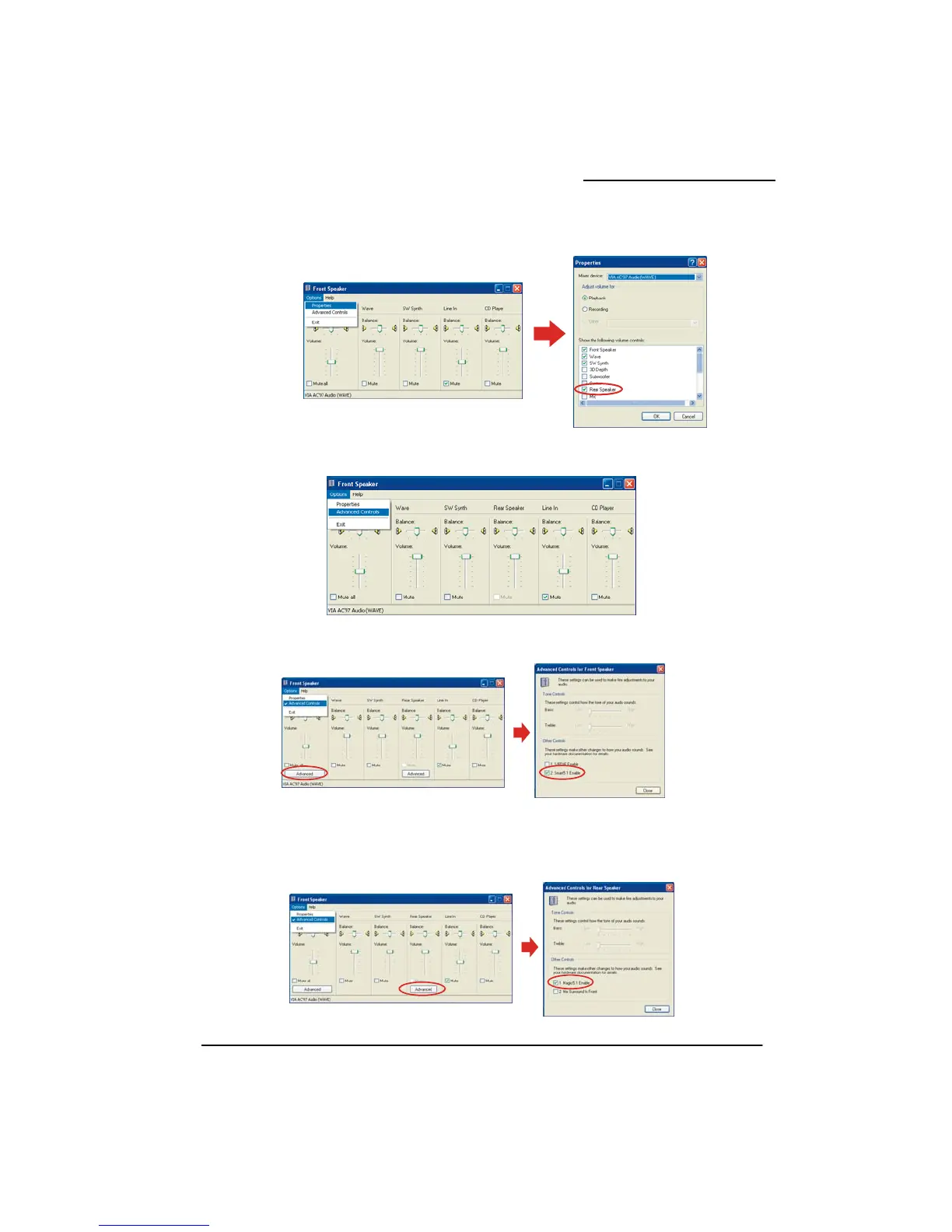
4. On the “Front Speaker” screen, select “Options Æ Properties”, then check “Rear Speaker”
and click OK.
item
. Also on the “Front Speaker” screen, select “Options Æ Advanced Controls”.
. Next, cl rt5.1 Enable”.
. Finally agic5.1 Enable”. This
the final step in configuring “Super 5.1 Channel Audio Effect”.
f you broadcast a DVD with a DVD-ROM, please skip this step.)
5
6 ick the “Advanced” button of the Front Speaker, then check the “Sma
7 , click the “Advanced” button of the Rear Speaker, then check the “M
is
(I



 To Next Page