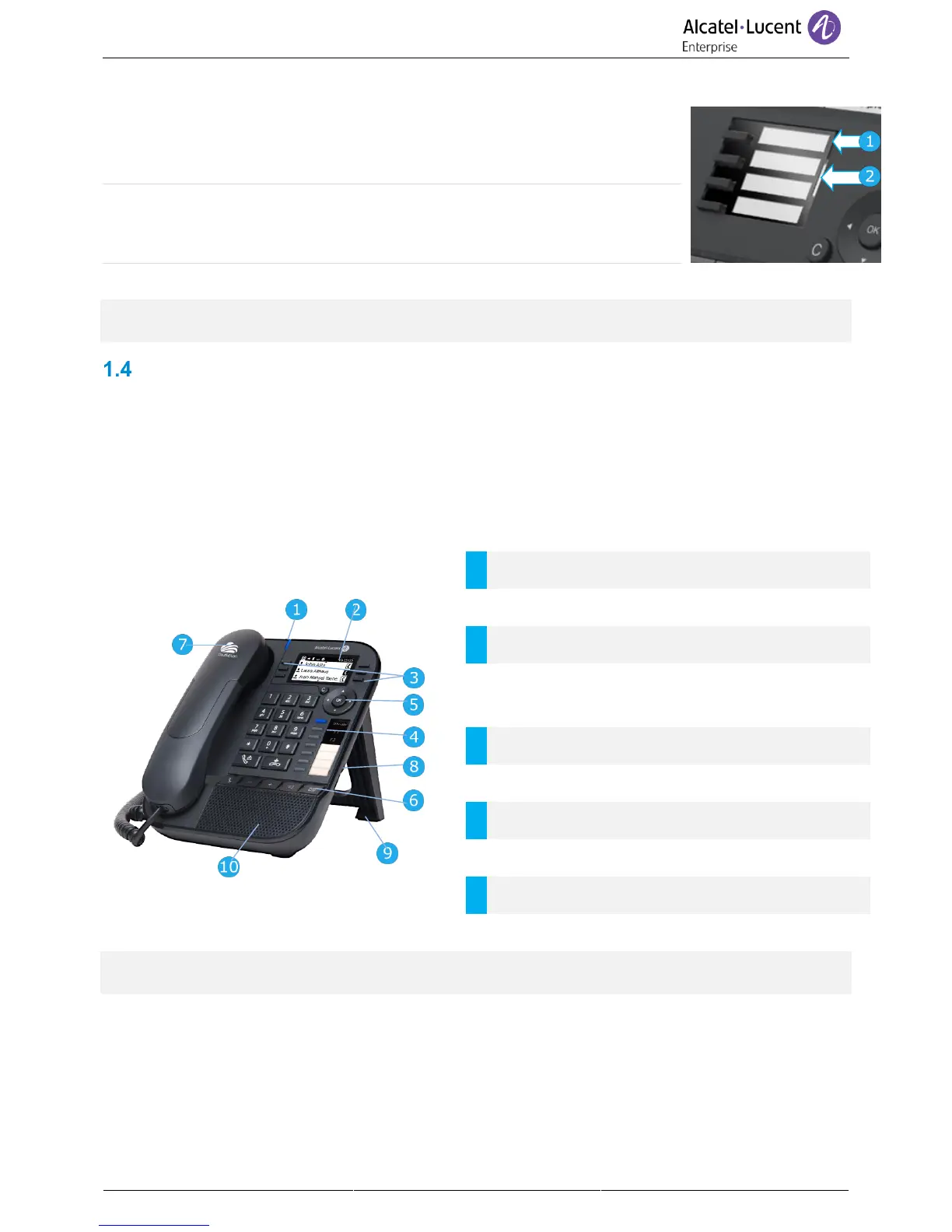
1.3.4 Changing or updating the paper label
Removing the paper label
• Lift the protective cover at the notch (1).
• Remove the paper label in the same way (2).
• Update or replace the paper label.
Inserting the phone label
• Position the phone label, left side first, making sure it is placed correctly
behind the notches (a,b,c,d).
• Put the protective cover back in the same way.
The application 'LabelSet' is available to help you to print the paper labels. Please contact your business
partner for more information.
8018 Cloud Edition DeskPhone
This phone is part of the IP phone range. In addition to a clear monochrome display associated to 6
dedicated function keys and an intuitive navigation key, the 8018 Cloud Edition DeskPhone provides 4
programmable keys as a smart add-on module, for a quick access to your favorite contacts or features. It
provides high audio fidelity for telephone calls either in hands-free mode or using the comfort handset. It
is compatible with teleworking. Consequently, it is perfect for use at your office in your enterprise or at
home (teleworking).
1.4.1 Phone description
LED
Flashing blue: incoming call / Appointment alarm.
6 dedicated functions keys.
3 preprogrammed keys with Led and paper icon:
Alpha-numeric key, F1, F2.
4 programmable keys with Led and paper label.
Permanent feature keys: quick access to the
phone's main features.
USB connector for headset.
Your phone has 4 programmable keys with led and paper label. These keys are used to program a direct
call. You can use the paper to describe the key.



 To Next Page