Contacting your administrator (Technical support)
If necessary you may need to contact your administrator.
Before contacting your administrator, make sure you have information such as your phone's codes and
software version to hand.
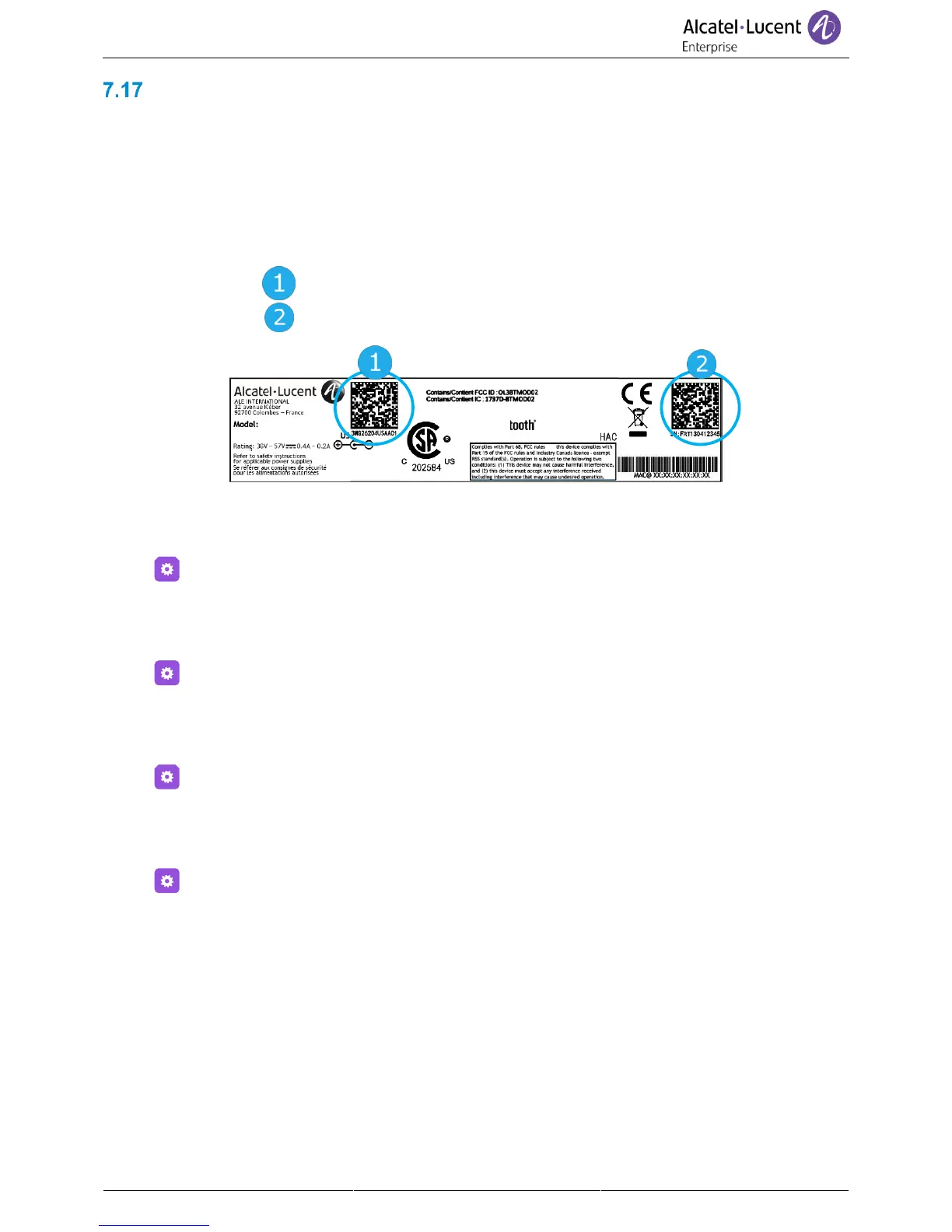
7.17.1 Technical code (left) / Date code (right)
The codes are located under the backshell of the phone. This label is an example and does not
represent the one placed on your phone.
7.17.2 Software version
The software version can be viewed on the phone by following this path:
• Select the settings icon from the phone menu (see the navigation section of your phone
model).
• Version
7.17.3 Display network settings
• Select the settings icon from the phone menu (see the navigation section of your phone
model).
• Network
7.17.4 Reboot your phone
• Select the settings icon from the phone menu (see the navigation section of your phone
model).
• Reboot
7.17.5 Access to administrator configuration
• Select the settings icon from the phone menu (see the navigation section of your phone
model).
• Admin
• Enter the administrator password.
• This section allows the administrator to set IP parmeters, certificates, LDAP servers, DM URL (for
configuration files), and SIP Accounts. The administrator can also restore factory settings. The
DM URL is used to automatically download the phone's configuration file, including all
parameters, when the phone switches on.



 To Next Page