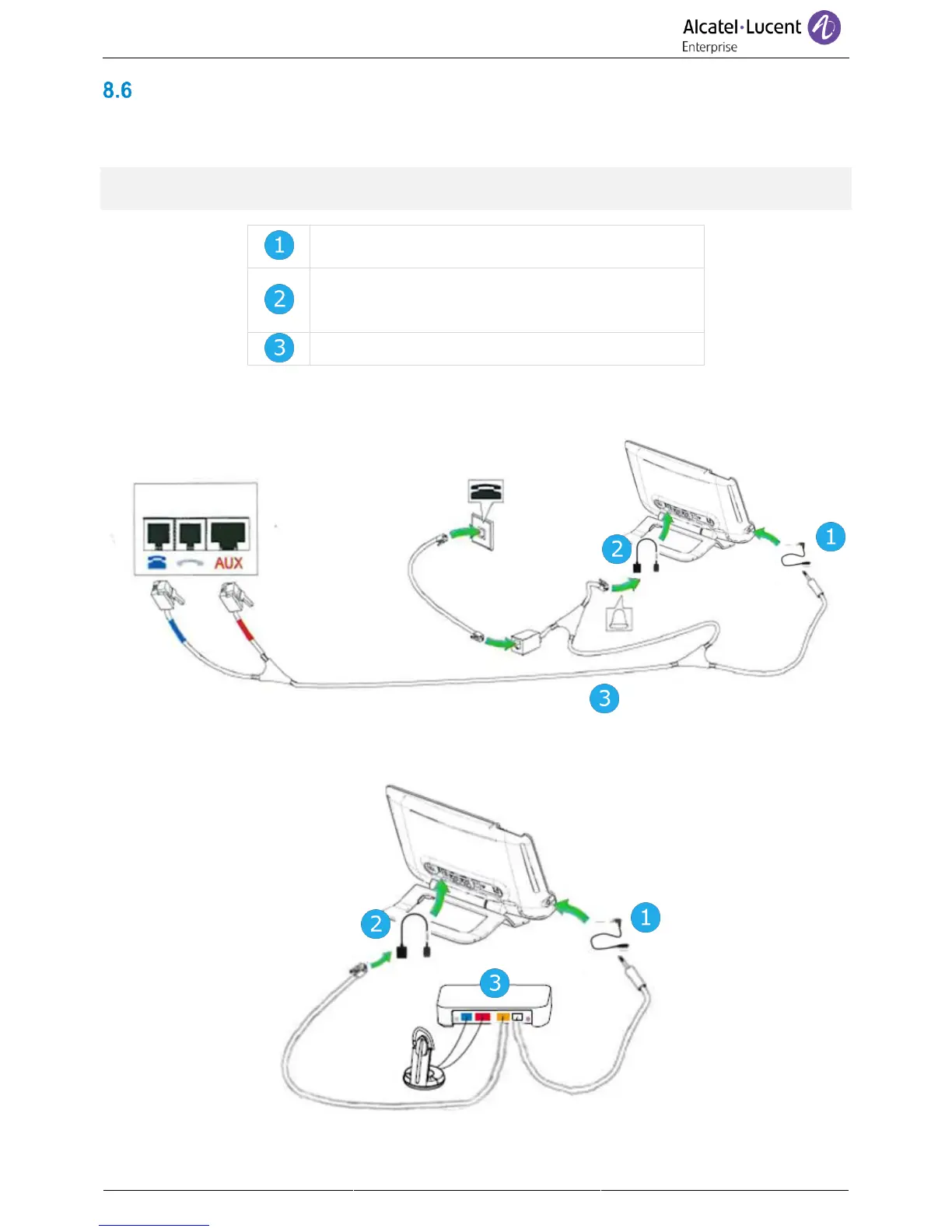
Connect a 3 pole jack headset
Your phone is equipped with a 3.5 mm, 4 pole jack. If your headset is not compatible (3 pole jack), you
have to use adapters. Contact the manufacturer of your headset to find the appropriate adapter.
Use the following kit which contains a 3 pole to 4 pole jack adapter and a RJ11 to SATA adapter: 80x8S
SATA-RJ11 & JACK 4-3 POLE CABLES 3MG07058AA.
RJ11 to SATA adapter to connect the RJ11
connector of the headset to the SATA connector to
the DeskPhone to manage ringing.



 To Next Page