8.5.3 8008 Cloud Edition DeskPhone
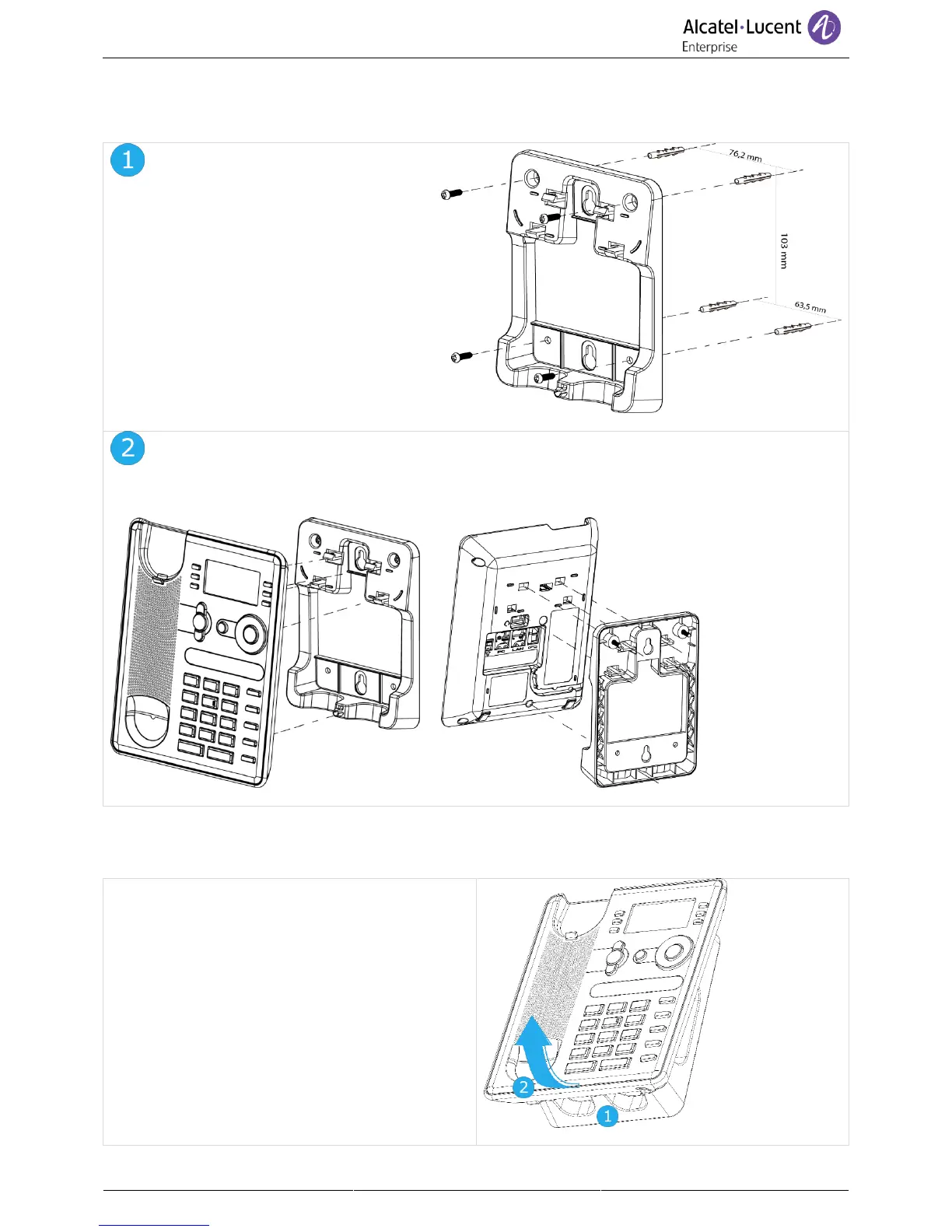
Installation of the wall mount kit
Fix the wall mount kit on the wall by using
the 4 provided screws and nylon anchors.
You can use the support as a reference to
mark position. Remove it before drilling
holes.
Assemble the phone with the wall mount kit by using the 5 hooks of the support.
Pull out the phone from the support
1. Maintain the support with one hand by using
the two holes on the bottom of the wall mount
kit.
2. With the other hand, pull out the phone from
the support as shown in the image.



 To Next Page